
git blame… subscription models
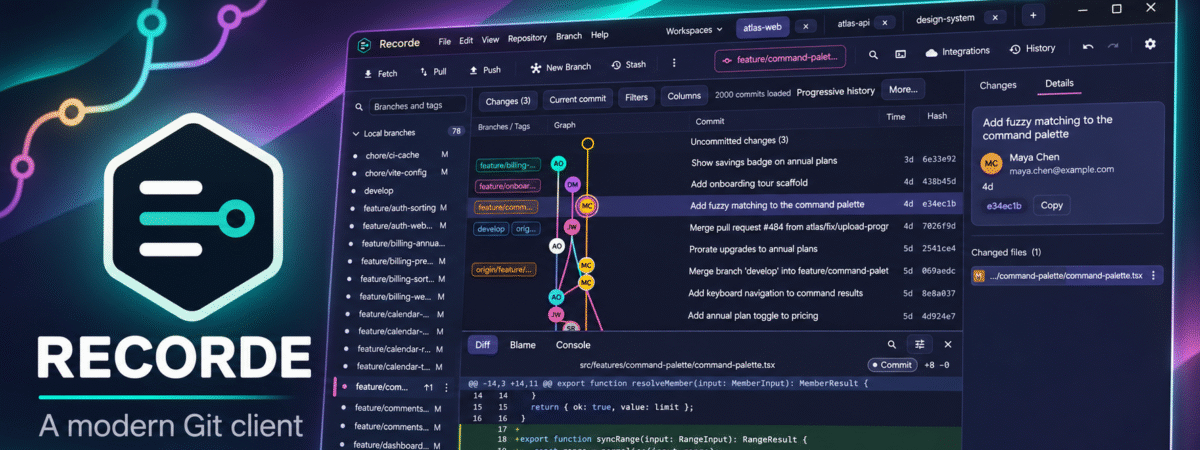
A while back I wrote about dabbling with building my own Git client. Well, after almost six months of using it, fixing bugs, filling gaps, and tweaking the UI, I think I’m at a point where I’m now happy to release it to the world.
So, why did I build this? Well, as I mentioned in my original post, I was struggling to find a nice Git client for Linux and I really couldn’t justify another f*cking subscription – seriously, stop with the subscriptions for everything, please.
Now, yes, of course I could have just used the CLI. But let me tell you something. I started using a computer in the late 80’s. My first computer was a ZX Spectrum. LOAD “” will forever be etched in my brain. In school, we used a BBC Micro. Just the one, because it was a small school and they had no money. Later on, it was MS DOS for a brief period, too. Using the CLI was all I knew for about 8 years. I had no other option. I looked with envy at console owning friends and their instant game loading, while I still loaded everything from tape in 3-5 business days. When I finally got an Amiga, with all it’s GUI based loveliness, I never looked back. And I’m convinced that anyone who suffered through those early days would agree. Clicking on things is just nicer.
Anyway, tangent over. So, I wanted a GUI Git client. Couldn’t find a nice, free one, so figured I’d build one. That in itself was a whole thing, so go and read that post if you want more background.
Over the last few months, I’ve been using it regularly and iterating on it as I’ve gone to fix things, improve things and just make it nicer to use in general. I’ve also added more features (Workspaces, for one) and proper GitHub and GitLab OAuth integration.
The result? Something I’m fairly proud of, to be honest. It’s lightweight (the Windows exe is under 30mb, and even with a few large repositories open, it still only used about 90mb RAM), fast, and, most importantly, works. It’s also cross platform, with releases built for Windows, Linux, and MacOS, and it’s portable, so no installer – just run it and go (although there are installable versions, too).
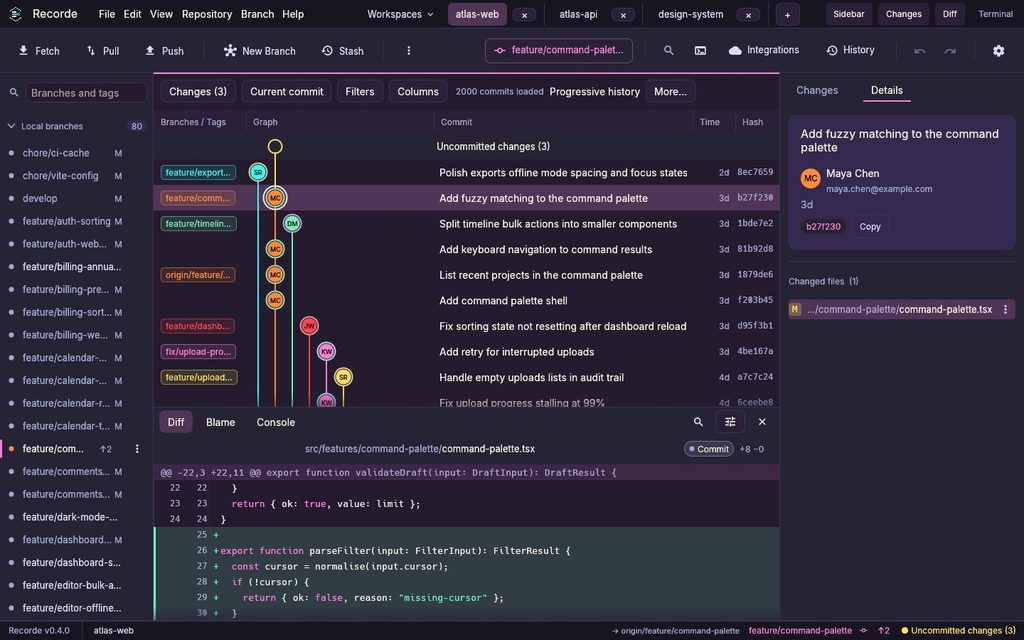
Given that I’d never built anything in Rust before, and I’d certainly never built a Git client (who has?), I’m really happy with it.
So, what’s next? Well, I’m releasing it. So, if you fancy giving it a go, you can. It’s completely free, and open source. I do have some other ideas for it for the future (such as a proper plugin framework, and a theme engine), but for now I’m happy with where it is.
It’s fully accessible, too, although I can’t fully validate that, as I don’t use accessibility tools enough to be massively familiar with them. But, there are high contrast themes, colour-blind friendly graph colours, and screenreader support throughout.
You can grab a copy of it (or the code) here.
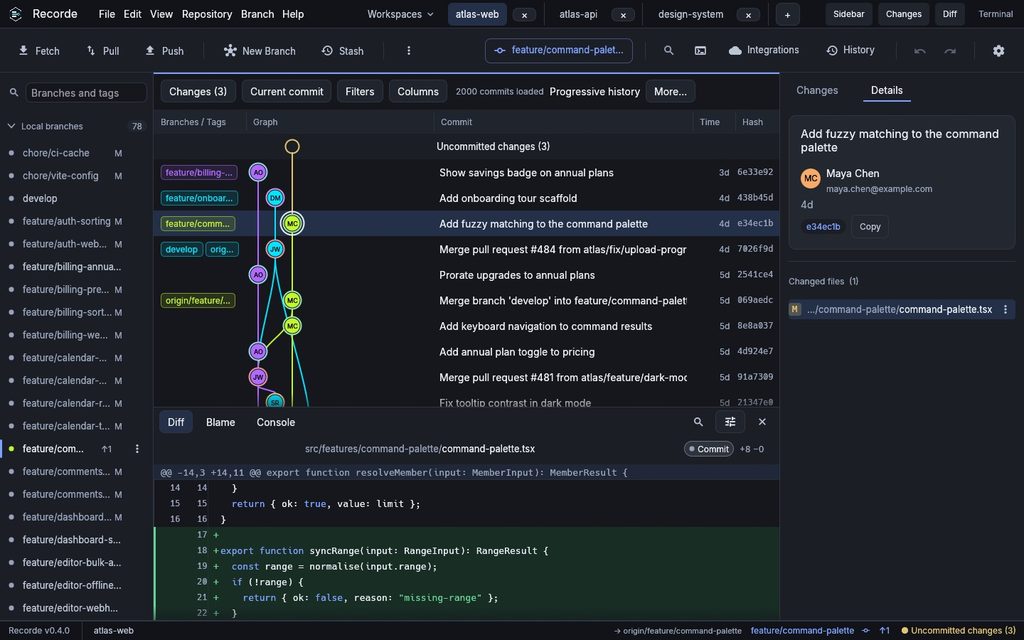
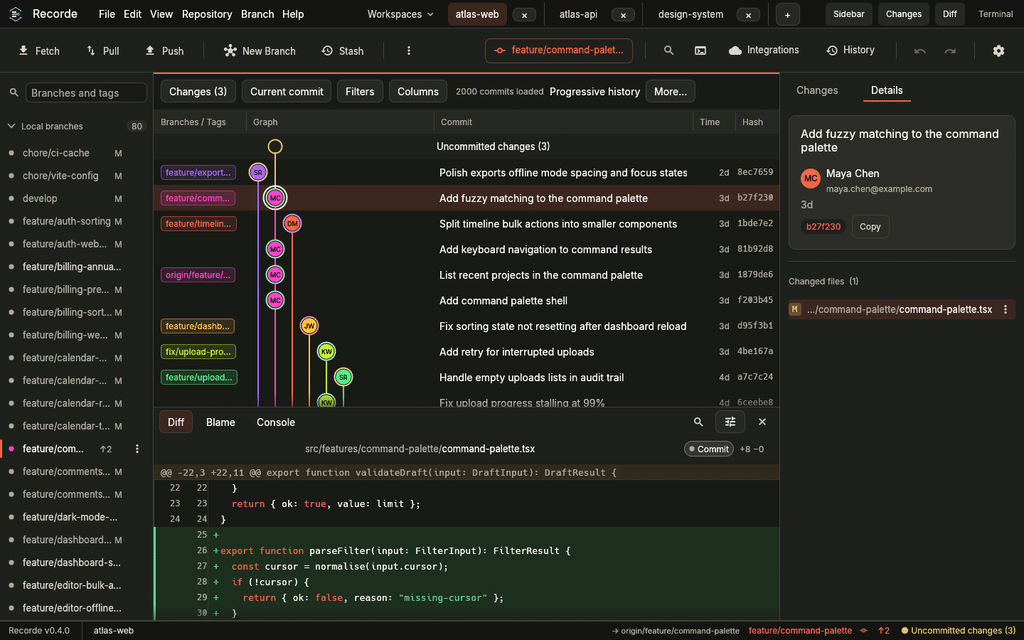
Some screenshots.
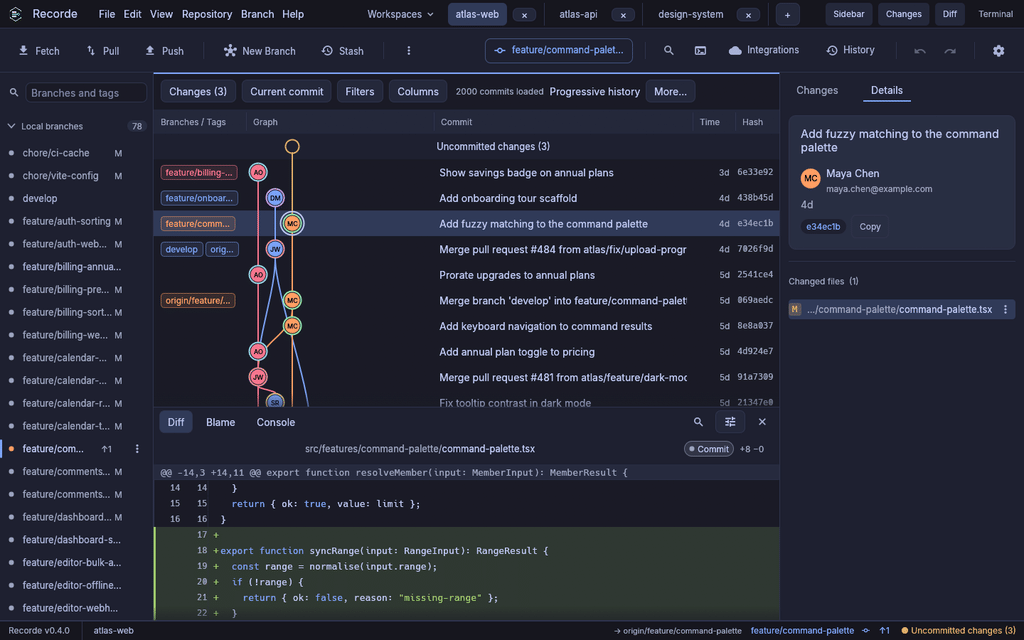
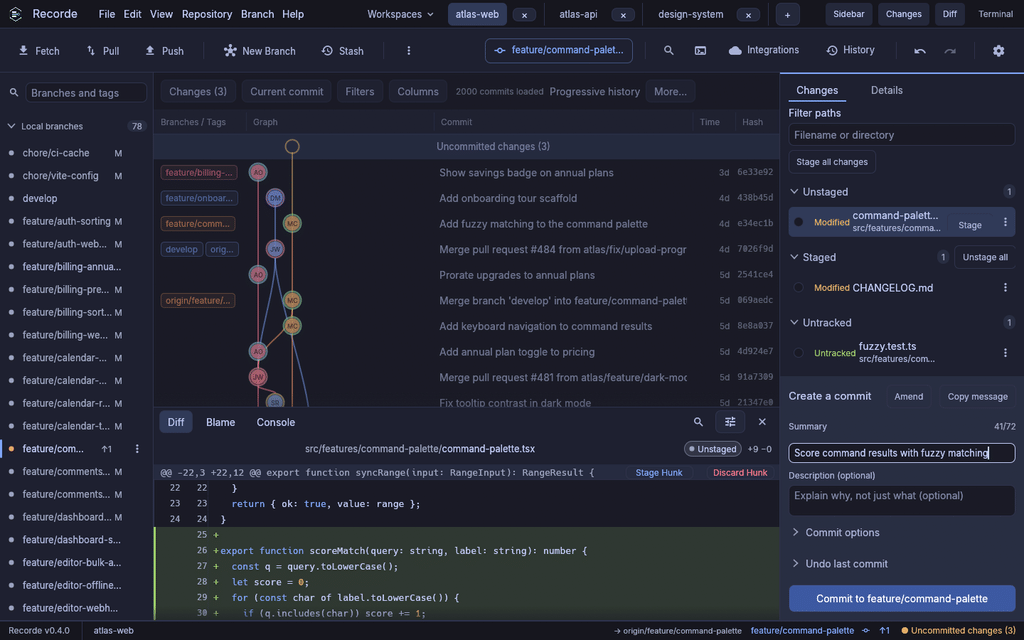
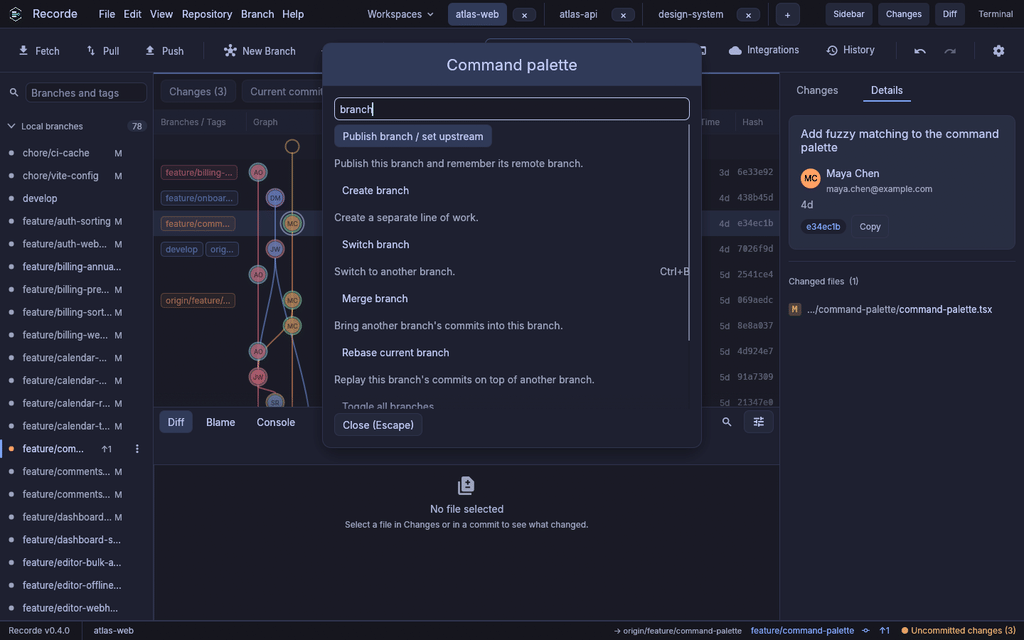
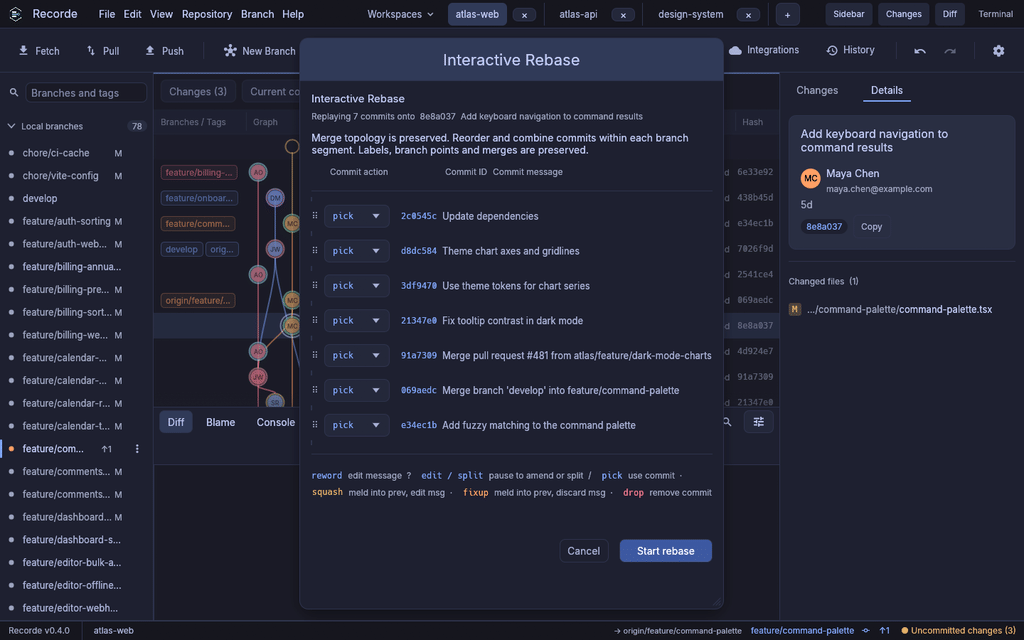
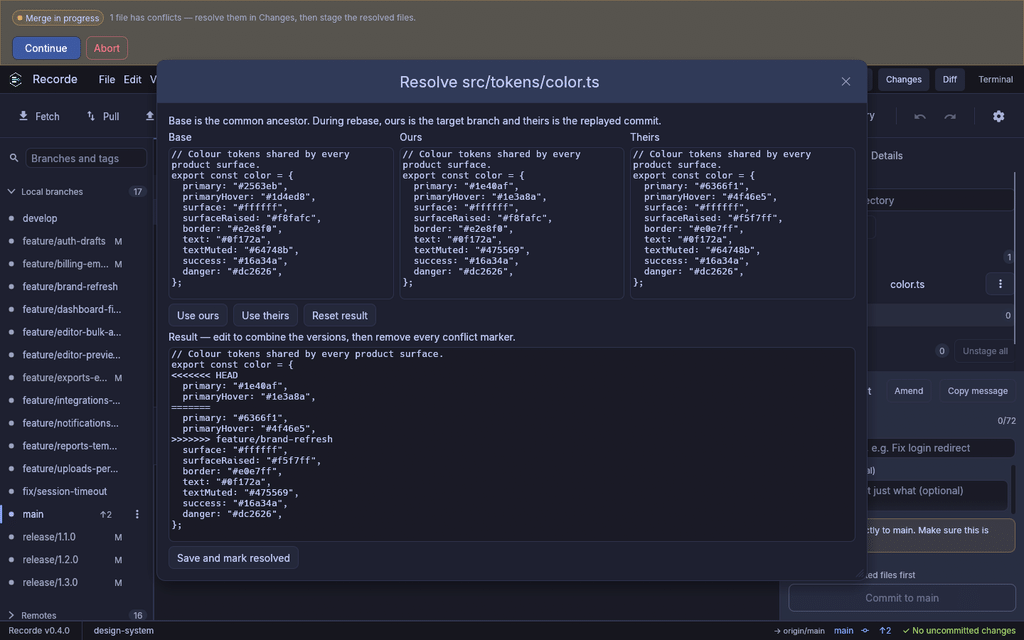
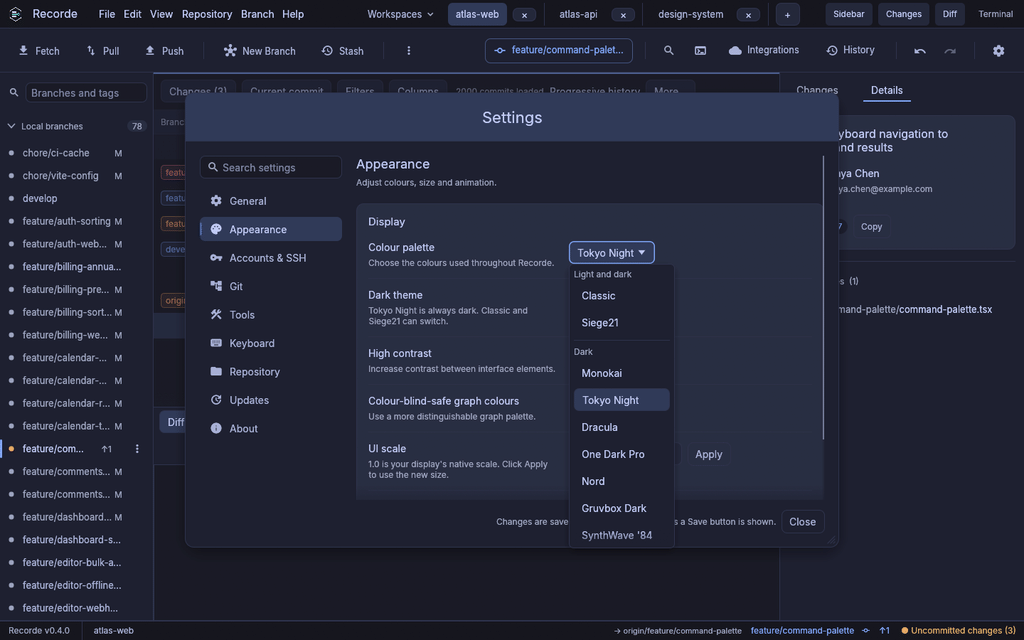
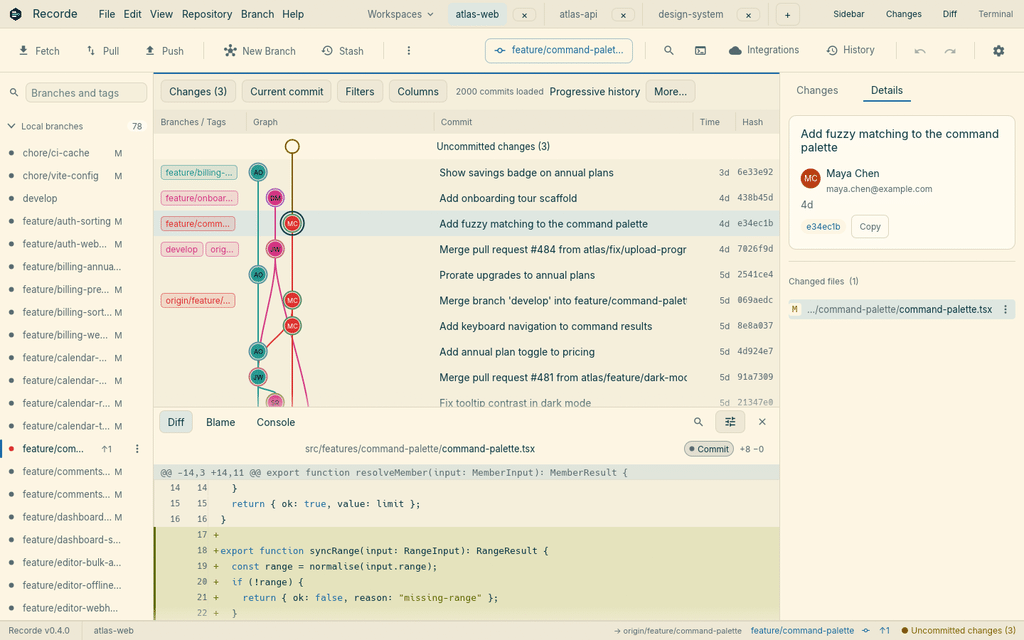
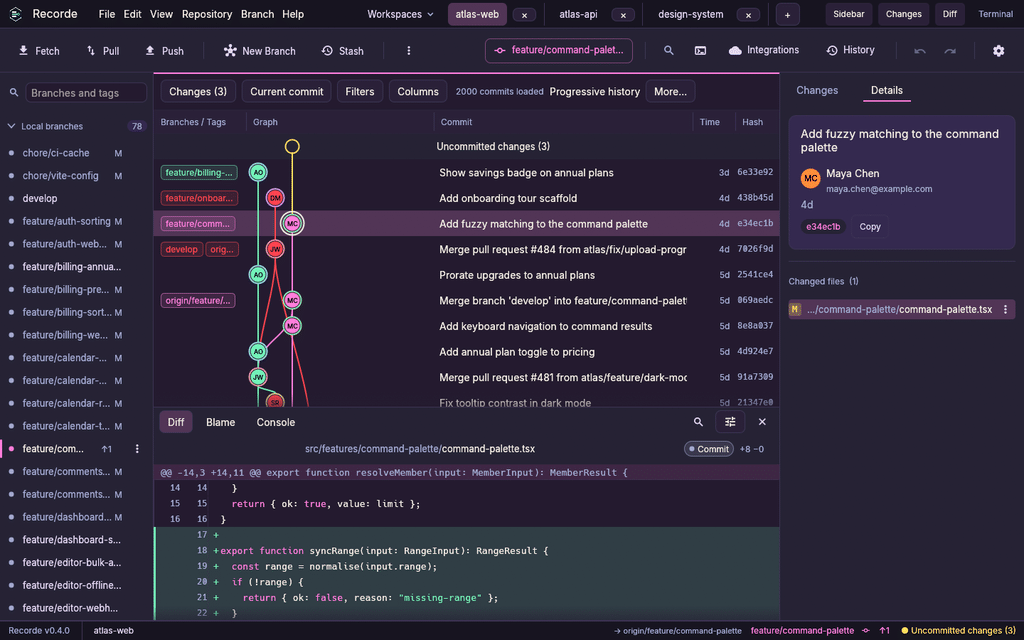
And some examples of the various themes – because of course you can match it to your favourite VSCode theme.
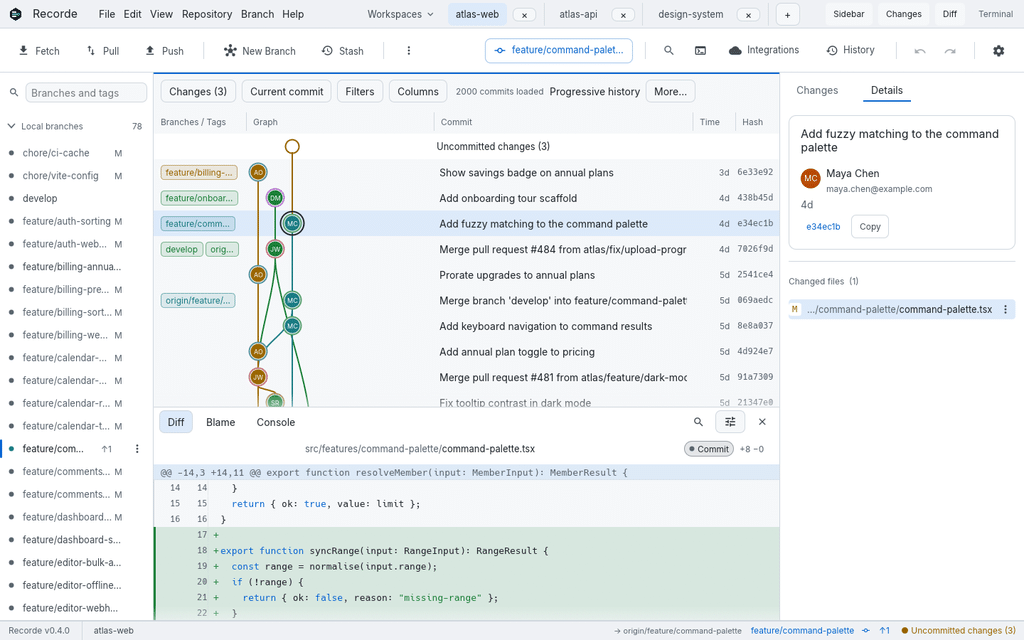
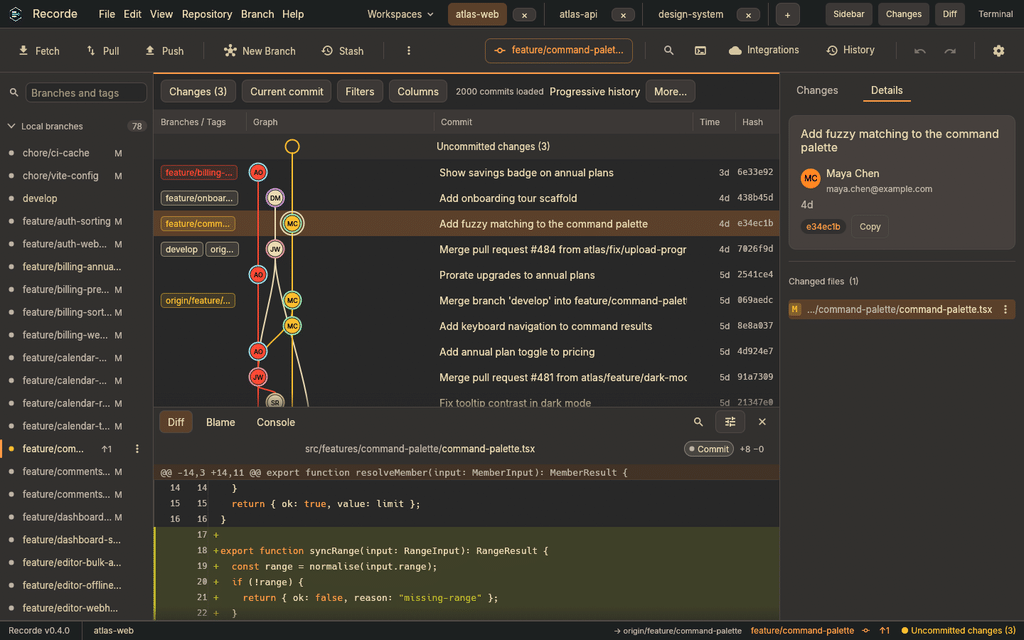
Here’s a full list of features:
History and graph
- Commit graph showing branches and merges, with each commit marked by its author’s initials. The graph loads in pages, so even very large repositories stay fast.
- Show, hide and reorder columns, and choose relative, ISO or UTC dates.
- Commit details, file history, blame, and side-by-side comparison of any two commits.
- Search and filter commits and branches.
- Reflog browser to recover lost commits as a branch.
- Bisect, started from the commit menu, which reports the first bad commit.
Staging and committing
- Stage, unstage or discard whole files, single hunks or individual lines.
- Adjustable diff context, an ignore-whitespace option, and full-file view.
- Commit composer with amend, co-authors, signed commits, and Git hook output you can expand to read.
- Built-in text editor that warns when the file changed on disk.
- Export and import patches.
Branches and tags
- Create, rename, switch, publish, delete and restore branches, including recently deleted ones after a restart.
- Safe switching that offers “bring my changes” or “stash and switch”, and keeps saved work until you restore it.
- Merge strategies: fast-forward, merge commit, fast-forward only, or squash.
- Annotated tags, which you can push and delete on the remote.
- Git Flow for features, releases and hotfixes.
Advanced history editing
- Interactive rebase: reorder, reword, squash, fixup, drop, and edit or split commits, keeping supported merge topology.
- Cherry-pick, revert and rebase by dragging commits or using the keyboard.
- Drop several selected commits at once, after reviewing the plan.
- Soft, mixed or hard reset to any commit.
- Undo and Redo for local operations, backed by recovery snapshots you can browse, pin and restore.
Conflicts
- Detects merges, rebases, cherry-picks, reverts and bisects in progress.
- Three-way conflict editor showing base, ours and theirs, plus a result you can edit, with drafts saved.
- One-click “use ours” or “use theirs”, or open your own merge tool.
- Continue, skip or abort any operation in progress.
Remotes and collaboration
- Fetch, pull (merge, rebase or fast-forward only), push, push with lease, and set upstream.
- Browser sign-in for GitHub and GitLab, with tokens kept in your system’s secure storage.
- Pull or merge requests, issues, CI runs and releases for GitHub, GitLab, Bitbucket Cloud and Azure DevOps (features vary by provider).
- Browse and search repositories, clone over HTTPS or SSH, and fork.
Repository tools
- Submodules, linked worktrees, sparse checkout, and fetching full history for shallow clones.
- Git LFS detection.
- Stash all changes or a single file, with or without untracked files.
- New repositories with a starter README, .gitignore and licence.
- Workspaces and tabs for juggling several repositories.
Accounts and identity
- Profiles with commit identity, signing key and per-host accounts.
- SSH key generation, diagnostics and public-key copying.
- Git readiness check for the installed Git.
Productivity
- Command palette (Ctrl+K) and custom keyboard shortcuts.
- Built-in command tabs for running Git and shell commands in the repository.
- External terminal, editor, diff and merge tool integration.
- Searchable offline help.
Look and feel
- Twelve themes: Classic and Siege21 in light and dark, plus Monokai, Tokyo Night, Dracula, One Dark Pro, Nord, Gruvbox Dark, SynthWave ’84, GitHub Light, Solarized Light and Catppuccin Latte.
- High-contrast mode, colour-blind-safe graph colours, text scaling and reduced motion.
- Screen-reader support with labelled commits, branches and keyboard focus.
Platform and updates
- Windows, Linux and macOS, with portable builds, installers (MSI, .deb) and an AppImage.
- Signed, verified automatic updates.
- Free and open source under the MIT licence.