
No Disassemble: porting a 1994 Amiga strategy game
*little note here: this is a long one, and I did get Claude to help write some of it*
As I’ve written about previously, as a young-un, I had an Amiga. One of the games I used to play over and over and over was a little game called K240 from Gremlin Interactive. It was a sequel to Utopia, and had you, the player, building, managing, and protecting an asteroid mining colony. Then, an alien fleet would rock up and your afternoon was over.
You had a choice of alien enemies to face off against, and there was a research and progression tree, large (for the time) space battles, and fairly in-depth resource management. All on one floppy disk. Well, technically three, but the other two mostly contained graphic and audio assets. All the code fit into a single 880k double density floppy disk.
A few years ago I bought an Amiga emulator (the only legal way to get hold of the Kickstart ROMs), and after getting it all set up, I tried playing K240. It sucked. Not because the game was bad, just the experience.
So I decided to port it to Android. This expanded to also porting it to the web, but we’ll get to that later. Do I have any experience disassembling games? Nope. Any experience with 68k assembly? None whatsoever. But, what’s the worst that could happen?
This is the part where I should admit the plan was slightly unhinged, because K240 has no publicly available source code. Now, I did find an absolute goldmine of a resource online, in the shape of a full reverse engineered project, with full documentation of all the game mechanics, fully commented code (albeit 68k assembly), and a whole bunch of other resources. Anything not there was available as a free Amiga ADF image download from the publisher.
I leaned on Claude and Codex for verifying and explaining some of the 68k code, and also had to rely on it to fix a few bugs, but I am pleased to say I did a huge amount of lifting on this the old fashioned way – with coffee and a whole bunch of four letter words.
“Open the pod bay doors, HAL.”
First problem: the game is on floppy disks, and I do not own a floppy drive, an Amiga, or a time machine.
What you can get is an ADF – a byte-for-byte image of an Amiga floppy. Inside is a full Amiga filesystem, which Python can read via amitools, so a short script unpacked all three disks and gave me a bunch of files instead. Score.
Amongst those was what I was looking for: playk240, the main executable. Checked against the disassembled version from the Tetracorp project, it was the same version which meant I now had both a functional executable and the annotated disassembled code.
Amiga aside: what is an ADF?
An ADF (Amiga Disk File) is a raw sector dump of an 880K Amiga floppy – no compression, no container, much like an ISO. Because it’ is’s raw, the Amiga filesystem is still intact inside it, complete with directories, file dates and the boot block.
That is why this port was even possible. A 1994 disk image isn’t an archaeological artefact you have to guess at; it is a mountable volume. Point the right tool at it and thirty-two-year-old files fall out with their timestamps still set to 1978 (because the Amiga’s clock started counting there).
“It’s bigger on the inside.”
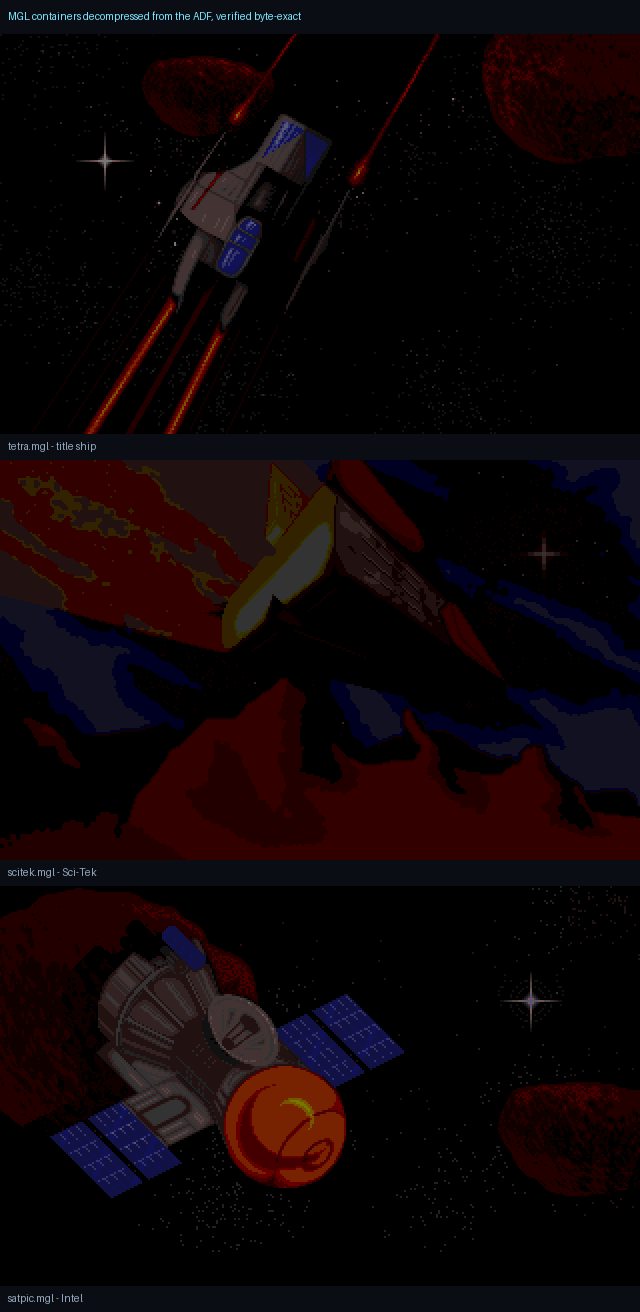
Every single graphic, sound and string in K240 is wrapped in a proprietary compression format called MGL. Fifty-one files of it. Until I could decompress MGL, I had a game with no art and no text.
There was a clue in the file headers. lang.mgl is 1,507 bytes on disk, but the header inside it declares an image several times that size. Something was definitely compressed.
So I went and read the decompressor in the disassembly – a routine called _ReadMGL. And it is a beautiful artifact of 1994 engineering. It reads one command byte, multiplies it by four, and jumps straight into a 256-entry table of jump instructions. No loops, bounds checks, no pissing about, just “take this byte, open the handler, and start writing”.
The handlers themselves are hand-unrolled. Want to copy nine literal bytes? There is an entry point nine MOVE.B instructions from the end of a chain, and you land on it exactly. Want a colour gradient? There is a family of handlers that reads the last two bytes you emitted, works out the difference, and extrapolates the ramp forward. Repeats, two-byte word patterns, back-references at fixed distances, and finally proper (distance, length) copies with the distance packed across the command byte and an operand. It is LZ compression, written by someone who counted CPU cycles for a living.
Here’s where the part of my brain that keeps a roof over my head kicked in, thankfully. Instead of hand-transcribing 256 assembly handlers into TypeScript and praying I did not mess up some mundane detail, I wrote a tiny interpreter that executes the original handlers, parsed directly out of the .asm file. The decoder cannot drift from the real algorithm, because the decoder is the real algorithm.
Original: 68000 assembly (_ReadMGL)
_ReadMGL:
    MOVEQ   #0,D7
    MOVE.B  (A0)+,D7    ; command byte
    ADD.W   D7,D7
    ADD.W   D7,D7       ; x4 = table stride
    JMP  (arr00E62,PC,D7.W)

arr00E62:
    RTS                 ; cmd 0 = end of stream
    RTS
    BRA.W   _012DE      ; cmd 1: copy literals

_012E4:                 ; gradient family
    MOVE.B  (-1,A1),D0  ; last byte written
    MOVE.B  D0,D1
    SUB.B   (-2,A1),D1  ; delta vs the one before
_013FC:
    ADD.B   D1,D0       ; extrapolate the ramp
    MOVE.B  D0,(A1)+
Port: TypeScript
// The table is addressed by cmd*4 from $00e62, so map slots
// by ADDRESS, not one-per-line: the two leading 2-byte RTS
// instructions share slot 0.
const BASE = 0x00e62;
for (let c = 0; c < 256; c++) {
  const ins = addrToInsn.get(BASE + c * 4);
  targets.push(ins.mnem === 'RTS' ? 'STOP' : ins.ops);
}

// ...then execute the real handler bodies, parsed straight
// from playk240.68k.asm.
case 'ADD.B': {
  const full = (D[dr] & 0xff) + (D[sr] & 0xff);
  X = full > 0xff ? 1 : 0;
  D[dr] = (D[dr] & ~0xff) | (full & 0xff);
  break;
}
The two leading RTS instructions cost me twenty minutes, incidentally. They are two bytes each, so together they form the single four-byte slot for command zero. Address the table by line and you are off by one for all 256 entries.
Then came the moment that made the whole approach worth it. The tetracorp project had already published a handful of these images, decompressed, as ground truth. I ran my decoder against them.
Eight files. Byte-exact. Zero differences. All fifty-one MGL containers then fell out in one pass – 982KB of graphics, speech and text. The twenty-one speech samples matched the reference sizes too, which is a nice independent confirmation that the decoder is actually right. Let’s just take a moment to repeat that. 982KB for all the graphics and audio. Suck on that, GTA VI.
Amiga aside: bitplanes, and why the sprites came out as noise
Modern graphics store a pixel as consecutive bytes. The Amiga did not. It stored an image as several separate one-bit planes, and the hardware combined them on the fly: bit 3 from plane 3, bit 2 from plane 2, and so on, assembling a colour index per pixel as the electron beam swept past.
A sixteen-colour sprite is therefore four independent monochrome images stacked on top of each other. To recover a picture you have to read all four and reassemble every pixel by hand.
Worse, there are two conventions for the stacking order. Interleaved stores plane 0 row 0, plane 1 row 0, plane 2 row 0. Contiguous stores all of plane 0, then all of plane 1. Guess wrong and you get a perfectly stable, perfectly reproducible screenful of static – which is exactly what I got, twice, before working out that K240 uses contiguous.
None of these files has a header telling you the dimensions or plane count, either. I recovered those from arithmetic: alienp1 is 7,336 bytes, and 112 × 131 pixels at four bitplanes is exactly 7,336 bytes. When the arithmetic lands on the nose, you have found the right shape.
The palettes were a separate issue, because they live in a table in the executable rather than beside the pixels. I solved that by proving the decode instead: map each of my decoded pixel indices onto the colour at the same position in a reference image, and check the mapping is consistent. If every index maps to exactly one colour, the bitplane decode must be pixel-perfect – and you get the original palette out as a by-product.
Amiga aside: the Blitter (or, why the CPU is not drawing anything)
The Amiga had a dedicated chip for moving rectangles of memory around, called the Blitter. It could copy, mask and combine bitplane data without troubling the 68000 at all, which is how a 7MHz machine managed smooth scrolling and dozens of moving objects.
You can see it all over K240’s frame loop. The main loop calls _Blit003BE to queue work, then _TakeBlit to reclaim the chip afterwards. The CPU is not painting the screen; it is filling in a job sheet and letting custom silicon do the labour.
This is the single biggest structural difference between the original and the port. On Android there is no Blitter to hand work to, but there is a GPU behind the view compositor, so the port ends up in a similar shape by accident: describe the scene, let dedicated hardware rasterise it. The Amiga version and the React Native version are both, in their own way, refusing to draw pixels with the main processor.
“Roads? Where we’re going, we don’t need roads.”
K240 is a mouse game. Point, click, drag. That is genuinely good news for a touch port – a pointer maps onto a finger far more gracefully than a six-button joypad does – but it still meant every screen needed rethinking for thumbs rather than a desk.
My first instinct was libGDX with Kotlin: a proper JVM game framework, deterministic loop, no nonsense. I got as far as scaffolding it before a requirement landed that killed it outright – I wanted to scan a QR code and see the game on my phone immediately, with hot reload, without a build-deploy cycle every time I changed a number.
That means Expo Go, and Expo Go runs React Native. Which would be interesting, as I’ve never written a game in JS / TS. I had my doubts initially, so did some digging to see what it could do graphically. From a game logic standpoint, though, I was pretty happy, as the entire simulation is almost separate from the presentation layer.
The game logic is a pure, deterministic simulation; just functions that take state and produce new state. I can run four hundred simulated days in a terminal in under a second and check the economy has not drifted. That test loop has caught more bugs than any amount of on-device poking, and it exists because the simulation and the presentation never got tangled together.
“If my calculations are correct…”
This is where I almost fell into a trap. Thankfully, I’ve also been watching a pretty interesting series on Youtube, following a guy porting Sonic to the Amiga. And something he mentioned in one video stuck with me.
If a 1994 game paces itself by counting CPU cycles – and plenty did – then running it on modern hardware makes it play at a hundred times speed. Your colony starves in four seconds. So: is K240 CPU-paced?
I went and read the game loop. It is not. K240 installs an interrupt handler that fires on the vertical blank, and that handler sets a flag. The main loop then does the classic thing: clear the flag, then spin in a tight two-instruction loop until the interrupt sets it again. Every phase of the game blocks on it.
But, the original is locked to the display refresh – 50Hz on a PAL machine. Every timer in the game is a count of screen refreshes, not cycles: 32 frames between asteroid collision checks, 254 frames on the early free Gravity Nullifier, and so on.
Original: spin until the vblank IRQ fires
_13C04:
    BSR.W   _DailyImpTransport
    JSR     _Blit003BE
    SF      flgWait     ; clear the flag
_13C14:
    TST.B   flgWait     ; spin here until the
    BEQ.S   _13C14      ; vblank handler sets it
    SF      flgWait
    JSR     _TakeBlit

; ...and the day itself advances here:
_UpdateClock:
    ADDQ.B  #1,intDay
    BSET    #0,bFrameRule
    CMPI.B  #$64,intDay  ; 100-day year
    BEQ.S   _NewYear
Port: accumulate real elapsed milliseconds
export const PAL_HZ = 50;        // real PAL vblank
export const DEFAULT_MS_PER_DAY = 2000;

advance(dtMs: number): number {
  const per = this.effectiveMsPerDay();
  if (!isFinite(per)) return 0;   // paused
  // Clamp catch-up so a backgrounded app cannot
  // fast-forward the campaign by a thousand days.
  this.acc += Math.min(dtMs, 1000);
  let days = 0;
  while (this.acc >= per) {
    this.acc -= per;
    days++;
  }
  return days;
}
The proof it works is dull and therefore reassuring: feed the clock ten seconds of real time at 30fps, 60fps, 120fps and 1000fps, and you get thirteen game days every time. The simulation no longer cares what the renderer is doing. Pause, slow, normal and fast are just multipliers on one number.
The K240 year is a hundred days, incidentally, which I only know because the assembly compares the day counter against $64 before rolling over. I had it at 360 for a while, like an idiot with a calendar.
Amiga aside: the Copper and the vertical blank
The vertical blank is the pause while the electron beam returns to the top of the screen – fifty times a second on PAL. It is the natural heartbeat of any Amiga program, because it is the one moment you can change what is on screen without tearing.
K240 hangs its whole existence on it. The interrupt handler I found does two things: it sets the flag the main loop is waiting for, and it points the hardware at a fresh Copper list.
The Copper is the Amiga’s co-processor for display timing — a tiny programmable sequencer that changes hardware registers at exact screen positions. Want the top third of the screen in one palette and the rest in another? You do not draw that, you write a Copper list that swaps the palette registers mid-frame. It is a display program that runs in lockstep with the beam.
The practical upshot for the port: the original’s clock is real-world time, not processor time. So the port has to derive game time from elapsed milliseconds, and the pacing layer must be completely divorced from how fast the phone happens to be rendering.
“Life finds a way.”
With pacing solved, the actual game could go in. The save-game format turned out to be the Rosetta Stone here – the community documentation describes it as eight chunks of memory totaling 151,850 bytes, and because it is a straight memory dump, it is effectively a complete map of the live game state:
- 24 asteroids at 750 bytes each – ore, radiation, population, unrest, missile silos, shipyard state.
- 700 ship records at 54 bytes – and “ship” includes missiles, satellites and Vortex storms.
- Buildings at 14 bytes each, 100 per asteroid, 24 asteroids.
- Eight Terran fleets and eight alien fleets at 292 bytes apiece.
- Ore price history, blueprint flags, the game clock, and a long tail of single-byte flags.
That got transcribed into TypeScript interfaces with the original byte offsets in the comments, which has been invaluable every time I’ve gone back to check a behaviour.
The numbers all came from the disassembly and the mechanics documentation,. Forty building types with their real costs, hitpoints, build times and power draw. Ten ores with their actual spawn probabilities and quantity ranges. Colony income of 100 credits plus 2 per colonist per day. A mine recovers one ore every four days and needs eight workers, or drops to 40% efficiency without them. Radiation rises 10% per hundred un-mined Asteros and each Decontamination Filter knocks 30% off. Every colonist needs one unit of air, food and water a day, and if air runs out with no surplus, all affected colonists die that day; food kills a tenth plus one, water a fifth plus one. As an aside, this was all really quite fascinating to uncover. Seeing how the underlying game mechanics actually worked was really cool. Nerdy as hell, but cool.
The asteroid surface is a 17 × 33 staggered grid with four rotated views, and the buildability rule is a three-value range lifted straight out of the placement routine:
// surface.ts
// The original placement routine LAB_0466 accepts map values $2d-$2f;
// the renderer then subtracts one before looking up graphics records
// $2c-$2e. Map value $30 is the first raised rock and is never buildable.
return sprite >= 0x2d && sprite <= 0x2f ? 1 : 0;
That three-line check is a fair example of the whole project. It looks trivial. Getting it wrong means half your asteroid is unbuildable, or you can put a Powerplant on the side of a cliff, and you would probably never notice which.
The twenty-four asteroid layouts were the one thing I was convinced we would never recover. I went looking for them in the disassembly of version 2.000 and found only an empty buffer – the maps are copied into it at new-game time, so at rest there is nothing there but zeroes. I was about to write my own procedural generation function, but decided to have one last look…
It was the wrong disassembly. The tetracorp repository also contains an earlier pass over version 1.886, and in that one the data is sitting right there, cunningly hidden behind a label called ASTEROIDMAPS. All 24 are now in the app as JSON, which means the asteroid with the hole through the middle is the asteroid with the hole through the middle.
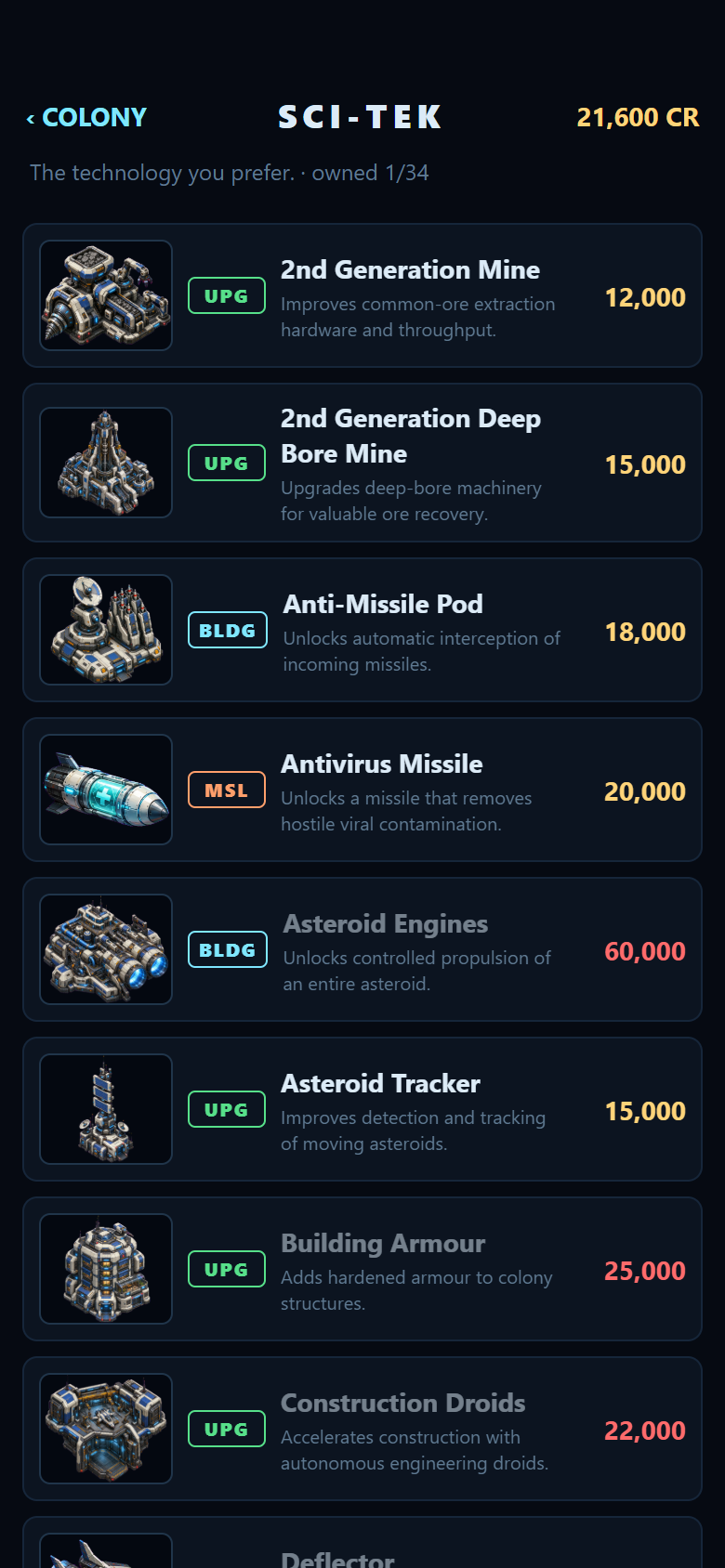
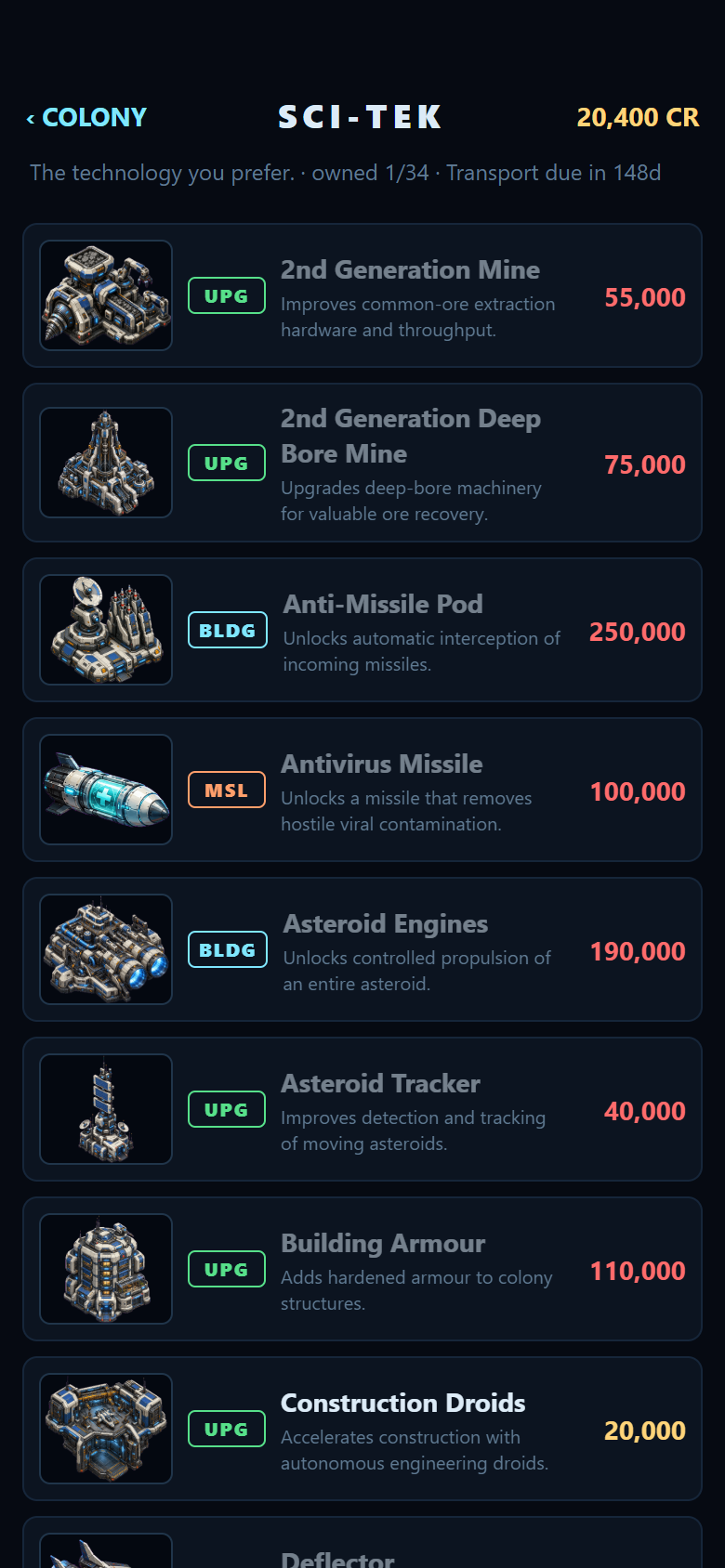
On top of that sits the rest of the management game: construction with real build times and scaffolding, the thirty-four Sci-Tek blueprints (with the per-species starting blueprints decoded from the alien data table, so facing the Swixarans pits you against Construction Droids, a Plasma Turret and a Screen Generator, for example), shipyard queues, ship fitting across all sixteen original hardpoints with their original prices, and four save slots modelled on the original disk directory plus a separate Android autosave for when the OS kills the app.
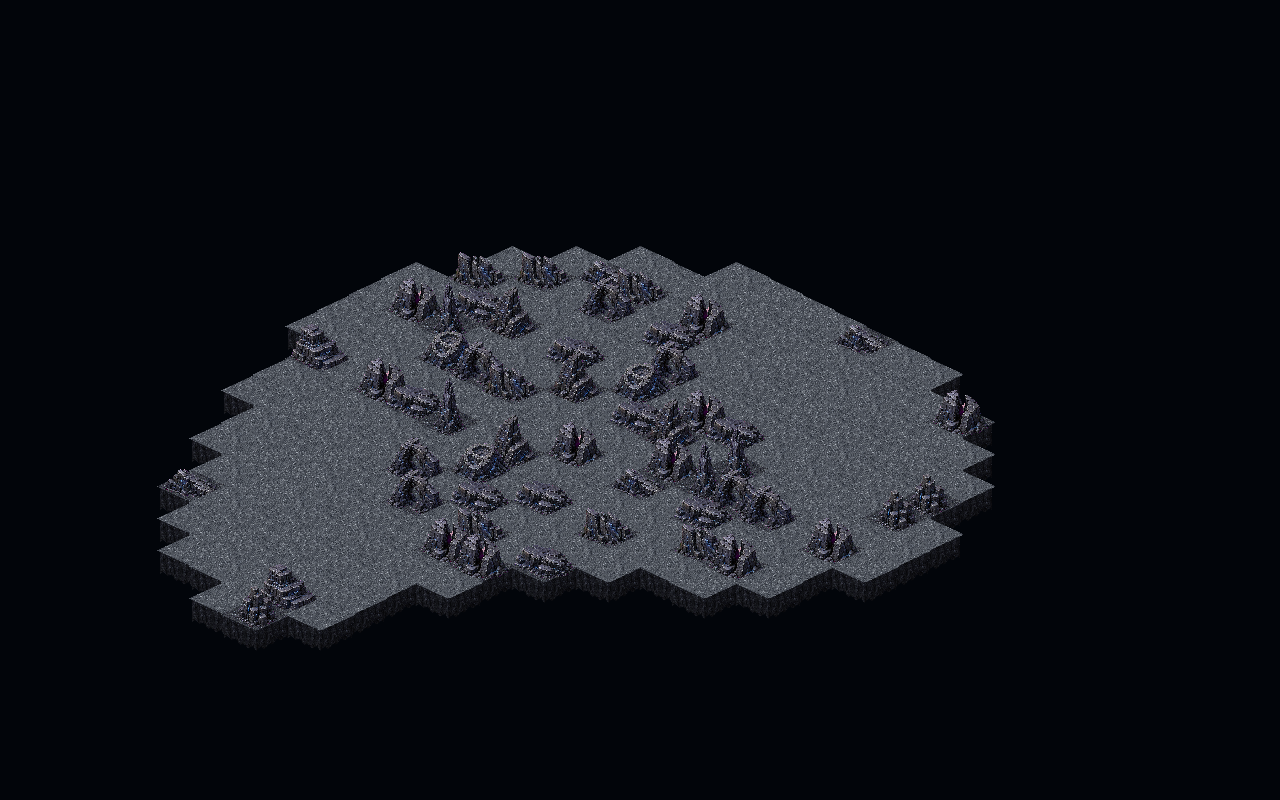
ASTEROIDMAPS table with the HD terrain kit. This is the real shape the 1994 game generates for the starting colony – flat regolith where you can build, raised rock where you cannot.“Resistance is futile.”
The aliens do not play by your rules. They have no currency. They do not manage or sell ore, though they do mine it and deplete the asteroid. They cannot research blueprints, but they start with technology that would be a blueprint to you. There is no alien Satellite Silo because they have no Intel system, and no alien Repair Facility at all. I always knew they were cheating…
Their home colony sits dormant until day 80. New colonies activate forty days after founding. They place a new building cluster every fifty to seventy days depending on species, scout on a cycle of thirty to a hundred and thirty days, consider colonising on a separate thirty to two hundred day cycle, and build one missile every twenty-five to thirty-five days – capped at five of each type.
That was the first pass, and it already produced a proper opponent: in a four-hundred-day test the Swixarans grew to four colonies, scouted my home asteroid and bombed it from eight buildings down to three. When the Life Support and Hydroponics went, the population collapsed to zero. The AI can just beat you, which is exactly right, but an absolute bastard when it happens.
My favourite detail in the entire port is in there too. The Swixarans build decoy fleets – a zero-ship fleet tagged with the value $5555, sent at a different colony to the real attack. If you intercept it, you get a report about a ghost image and no combat. It’s actually a bug, but I left it in because it actually makes for a fairly cool, if deviously sneaky, game mechanic.
And speaking of bugs: the Swixaran fleet targeting routine is labelled, in the original, as targeting the most populous colony. Read the actual comparison instructions and it does the opposite – it keeps the lowest-population known colony. The label lies. I implemented what the code does, not what the comment claims, because that is the behaviour players actually experienced for thirty years.
“Game over, man! Game over!”
Combat came in two layers, because K240 has two layers.
The strategic layer is missiles and fleets moving between asteroids. Eleven missile families with their documented effects: Explosive does 10 damage over a 2×2 area, Area Explosive and Napalm spread over 5×5, Nuclear hits every building on the asteroid for 7 and then sets every occupied square on fire, and Mega simply destroys the asteroid as though it had collided with another one. Anti-missile pods intercept on a curve that starts at 21% for one pod and climbs 4% per additional pod against Terran missiles, capping at 71%.
The tactical layer is individual ships firing hardpoints above the surface, on a 24-tick weapon cycle, each hardpoint rolling its own independent hit chance. Ion Cannon fires 50% of the time for 5 damage to a random square. Napalm Orb does 5 up front then burns for 1 damage nine more times. Vortex Mine spawns a wandering storm that, every tick, has a 1% chance of dividing in two, 3% of vanishing, 48% of damaging whatever it is sitting on, and 48% of moving. Fire persists on the surface. Vortex storms wander. Swixarans take extra damage from fire, because they are flammable, which is the kind of detail that makes a game.
There are two special cases in there that I love. A Kll fighter carrying hardpoint $0b does not shoot at all — it picks a building, flies into it and becomes an explosion. And a Swixaran class-7 ship with hardpoint $0f arms itself on arrival, issues warnings at 50 and 20 ticks, and then detonates a Mega-class warhead that destroys the entire asteroid. We port the warnings too, because a countdown you cannot hear is just an unexplained death.
“More human than human.”
Now the part that turned out to be far more interesting than expected.
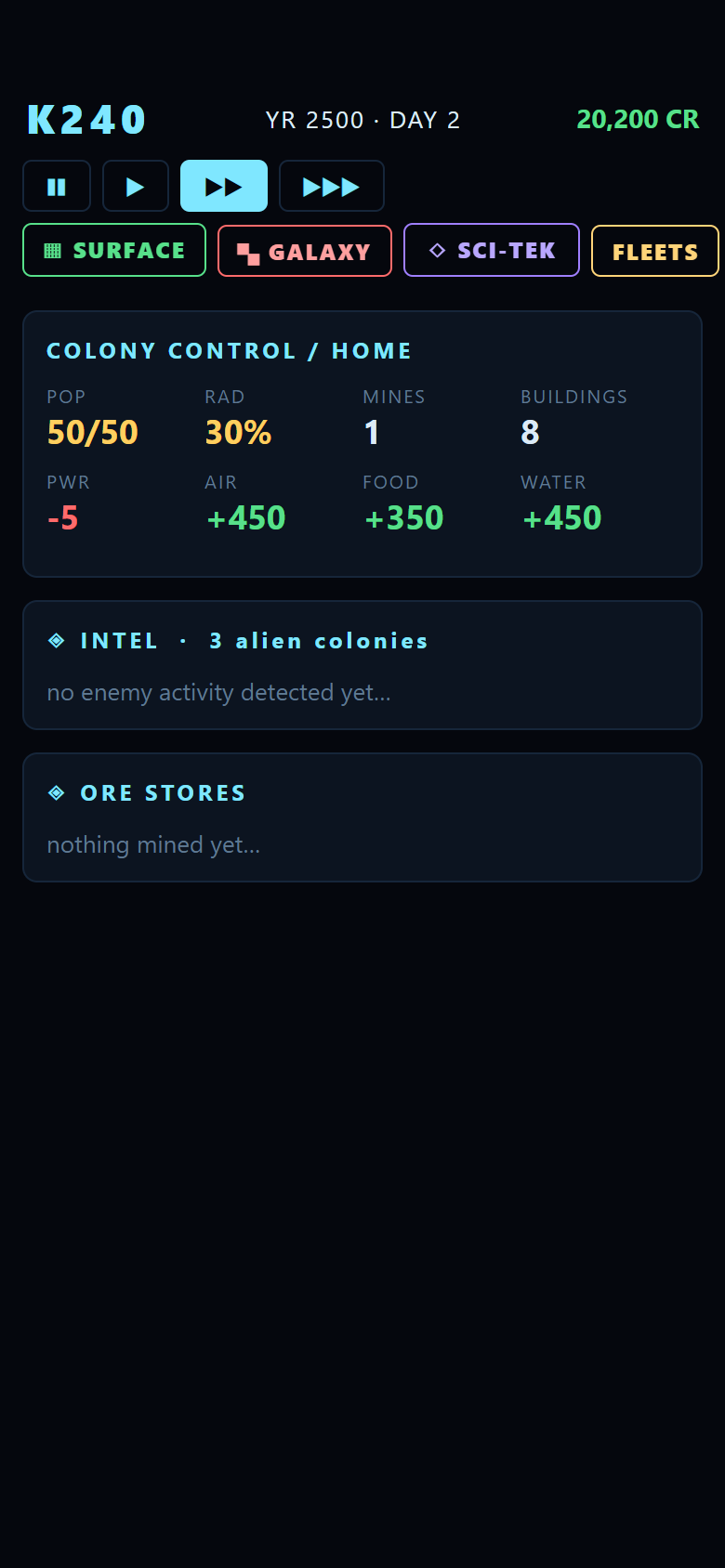
The extracted Amiga sprites are wonderful and they are also 64 × 88 pixels of sixteen-colour chunky-pixel artwork designed for a CRT at 320 × 200. Blown up on a 1080p phone they look like exactly what they are: tiny. There is a purist argument for keeping them, and Classic mode does exactly that – every extracted sprite, pixel for pixel. Now, there are a few quirks in the original sprite implementation, but I think I need to learn a bit more about Amiga sprites before I can fix them.
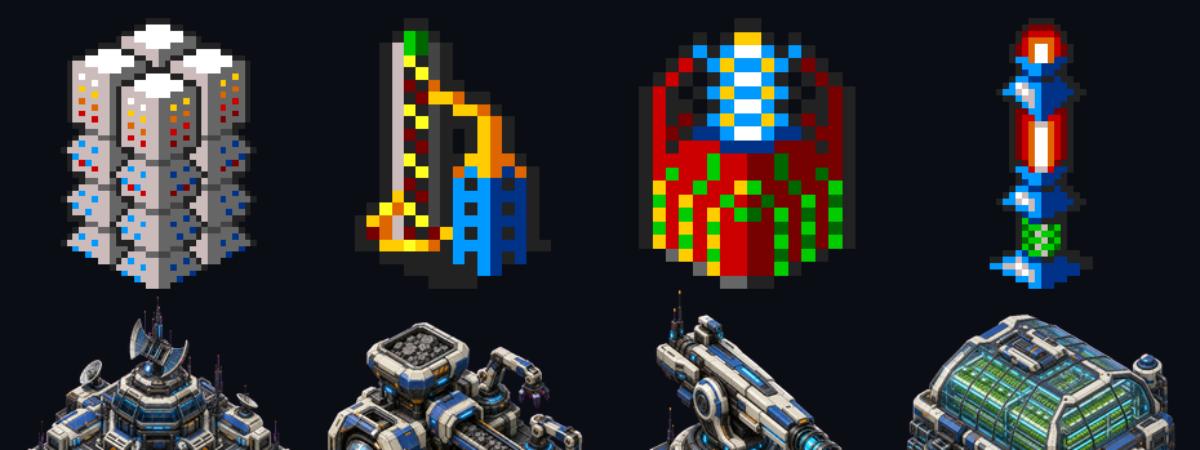
“HD” mode became something else. Rather than upscale the old pixels, I opted to throw them all at ChatGPT, give it a rough design guide and let it run wild. Now, I do think we lose something here, but having all new graphics with higher resolutions made sense. If I were an artist, then we’d have much better sprites. But I’m not, so we have ChatGPT’s take on space colonisation.
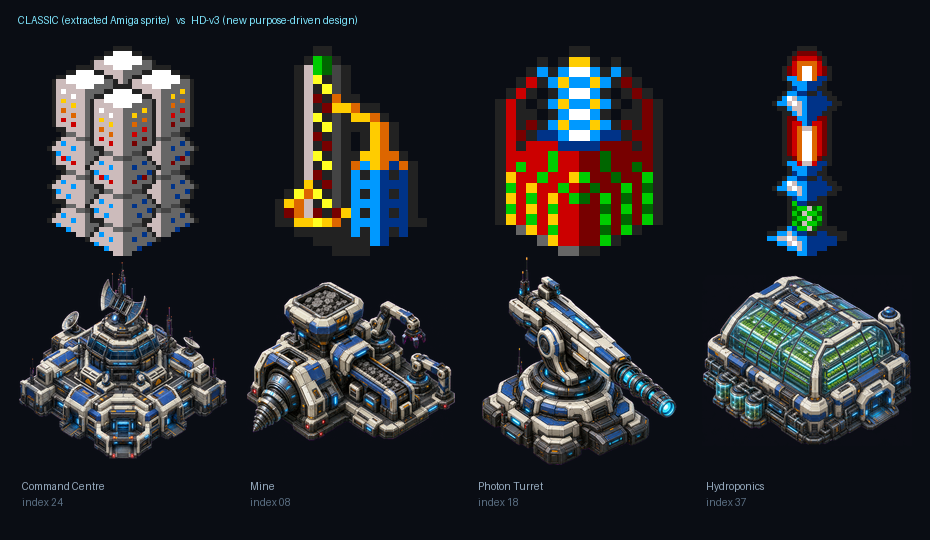
The scale of that job crept, in the way these things do. Forty Terran buildings, each with a written brief tied to what it actually does in play. Thirty-five terrain records rebuilt from one coherent regolith and rock kit, so flat buildable tiles have no artificial plinth and raised geology has real height sitting on one shared ground plane. Nine asteroid silhouettes. Ten missile designs. Thirty-four illustrated blueprint cards for Sci-Tek, which now shows the actual building, ship or missile a blueprint unlocks.

Ships were the hard problem, and the reason is a nice bit of 2D-graphics reality. K240 shows ships from an elevated side-on camera, not from directly overhead. You cannot rotate a perspective sprite as a flat bitmap – it looks like the ship is rolling or flying sideways. The original solved this by storing eight separate directional views per ship class, and the port has to do the same: eight dedicated headings per hull, so horizontal movement shows a side profile and vertical movement shows real front and rear foreshortening.
Then we did it for the aliens as well. Six species, eight hull classes each, eight headings per hull. Three hundred and eighty-four cleaned transparent sprites. ChatGPT earned it’s monthly fee with this one.
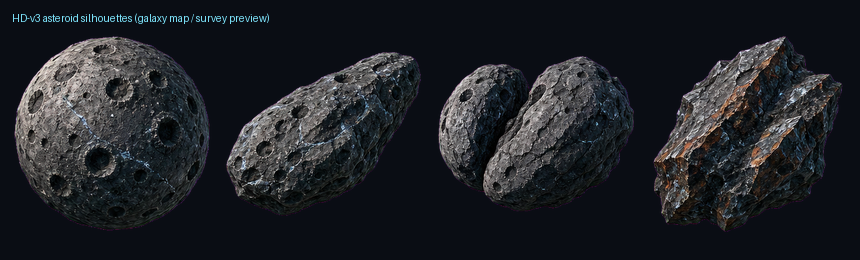
Because the game logic and presentation are so well separated, I was able to make this “HD” overhaul exactly that – just a visual upgrade. Nothing else changed. The game still plays the same as the original. Mostly. We’ll get to that.
“By your command.”
Testing a game where the interesting behaviour starts on day 80 and a Screen Generator costs 20,000 credits is miserable. You cannot get to the thing you want to test.
K240 already had an answer, as it happens. The executable contains twelve cheat codes, typed in at the keyboard: LOADSADOSH gives you 100,000 credits, ICBM stocks the selected asteroid with missiles, LEMINGS adds fifty population (deliberately misspelled with one M), NASA creates a ship of your choosing, and WIDGET handles blueprints.
WIDGET is a trap, and reading the routine is the only way you would ever know. Every cheat guide describes it as “gain all blueprints”. It does not. It runs NOT.B over all thirty-four blueprint flags – it toggles them (cheeky). Use it when you already own blueprints and it takes them away.
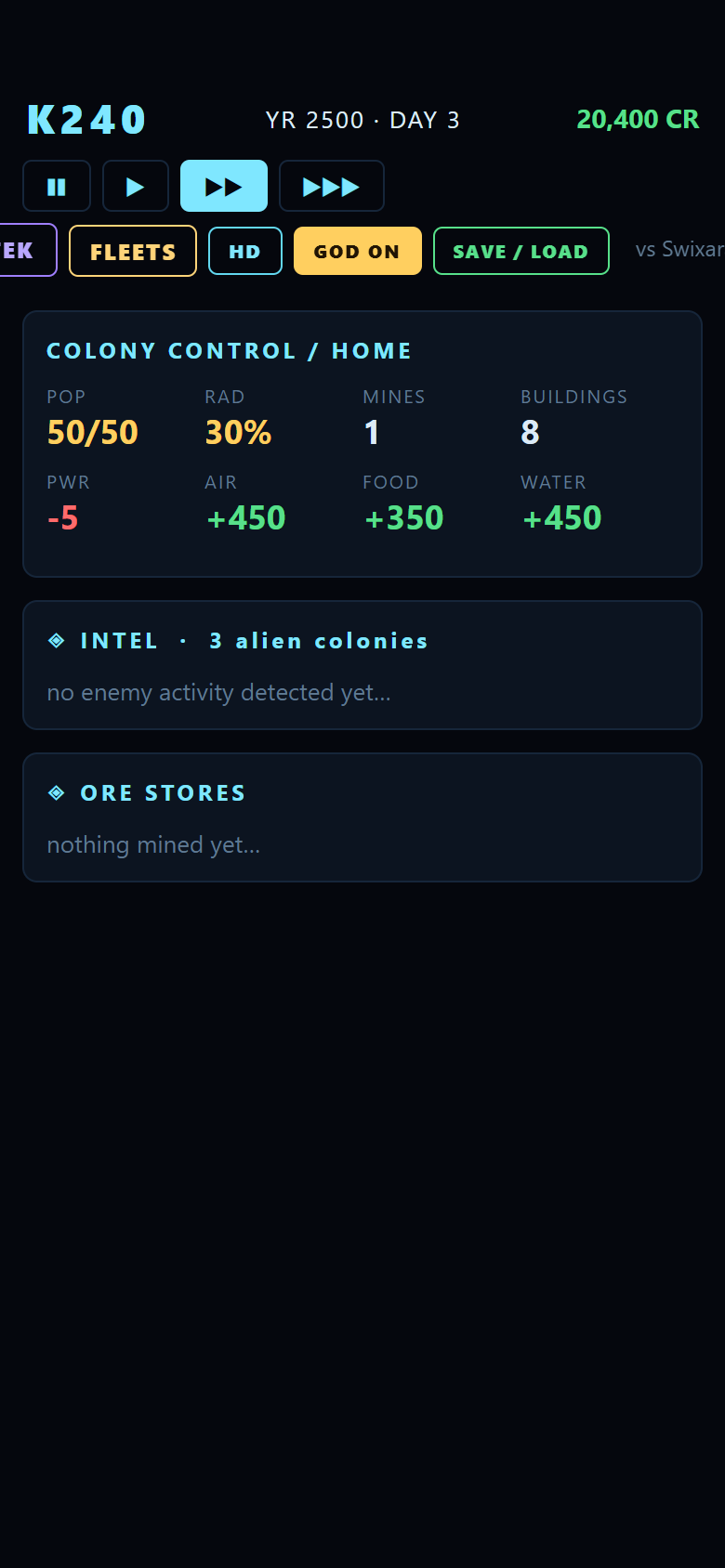
So, I added God Mode, which borrows the useful half of the behaviour:
Original: WIDGET cheat ($1a828)
_CheatWidget:
; Toggles all blueprints.
; Many cheat guides misstate this as "gain all
; blueprints", but actually, it toggles them,
; so you lose the ones you have.
    LEA     flgBP2GMine,A0
    MOVEQ   #33,D0        ; 34 flags
loop1A830:
    NOT.B   (A0)+         ; flip, do not set
    DBF     D0,loop1A830
    RTS
Port: God Mode as a per-action override
export function purchaseBlueprint(
  state, bpIndex1, godMode = false,
) {
  if (ownsBlueprint(state, bpIndex1))
    return { ok: false, error: 'already owned' };
  if (!godMode && state.cash.general < bp.cost)
    return { ok: false, error: 'insufficient funds' };
  // WIDGET ($1a828) NOTs all 34 flags, so it also
  // REMOVES blueprints already owned. God Mode takes
  // the useful dev behaviour without that surprise.
  if (!godMode) state.cash.general -= bp.cost;
  state.blueprintsOwned[bpIndex1 - 1] = true;
  return { ok: true };
}
God Mode makes construction, research and ships free and instant. What it deliberately does not do is switch off the rules I actually want to test: terrain validity, footprint collisions and placement legality are all still enforced, so you can build a hundred structures in a second and still discover that your 2×2 footprint logic is wrong at the edge of a crater.
God Mode was purposely kept abstracted from the main game logic, and only hooks into existing “cheat” functionality. I didn’t want it tangling things up with saves, or breaking things when toggled off. Gremlin already solved all of that with the cheats, so it made sense to just piggy-back on that.
“The system’s never wrong.”
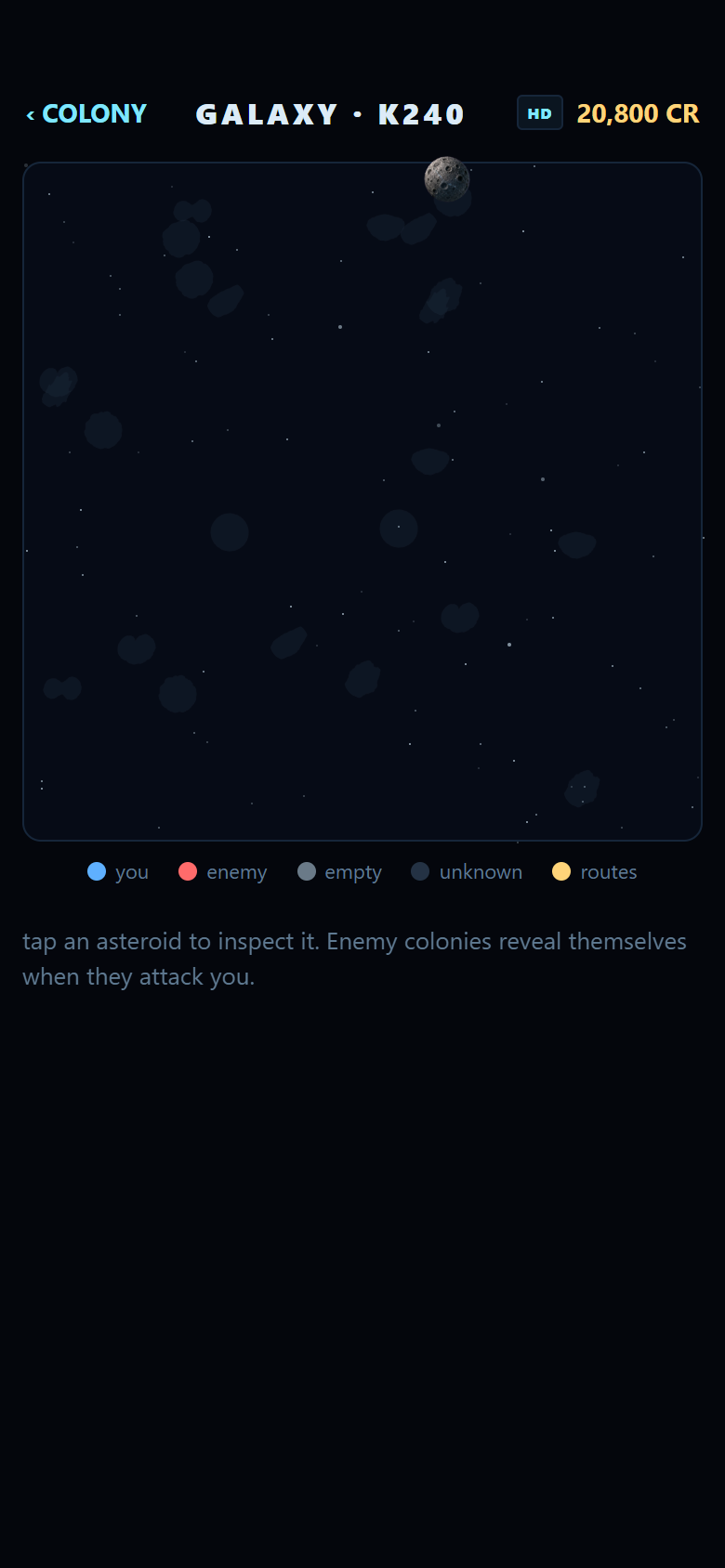
The galaxy map used to be a giveaway. K240 places its twenty-four asteroids on a literal grid in the disassembly; thirty-three fixed lattice positions, forty units apart, and the first pass of the port did exactly that. It worked, and it also looked like nothing so much as a spreadsheet. This is where I made one key decision to change how the original game worked. I regret nothing.
The layout got rewritten as scattered best-candidate placement: each asteroid rolls a handful of candidate positions and keeps the one furthest from its neighbours, with a minimum 34-unit separation between asteroids and 130 units between the two home colonies, which sit on diagonally opposite corners. It is seeded from the campaign RNG, not wall-clock time, so a given campaign seed still reproduces the same galaxy, but no two campaigns look alike any more, and nothing overlaps.
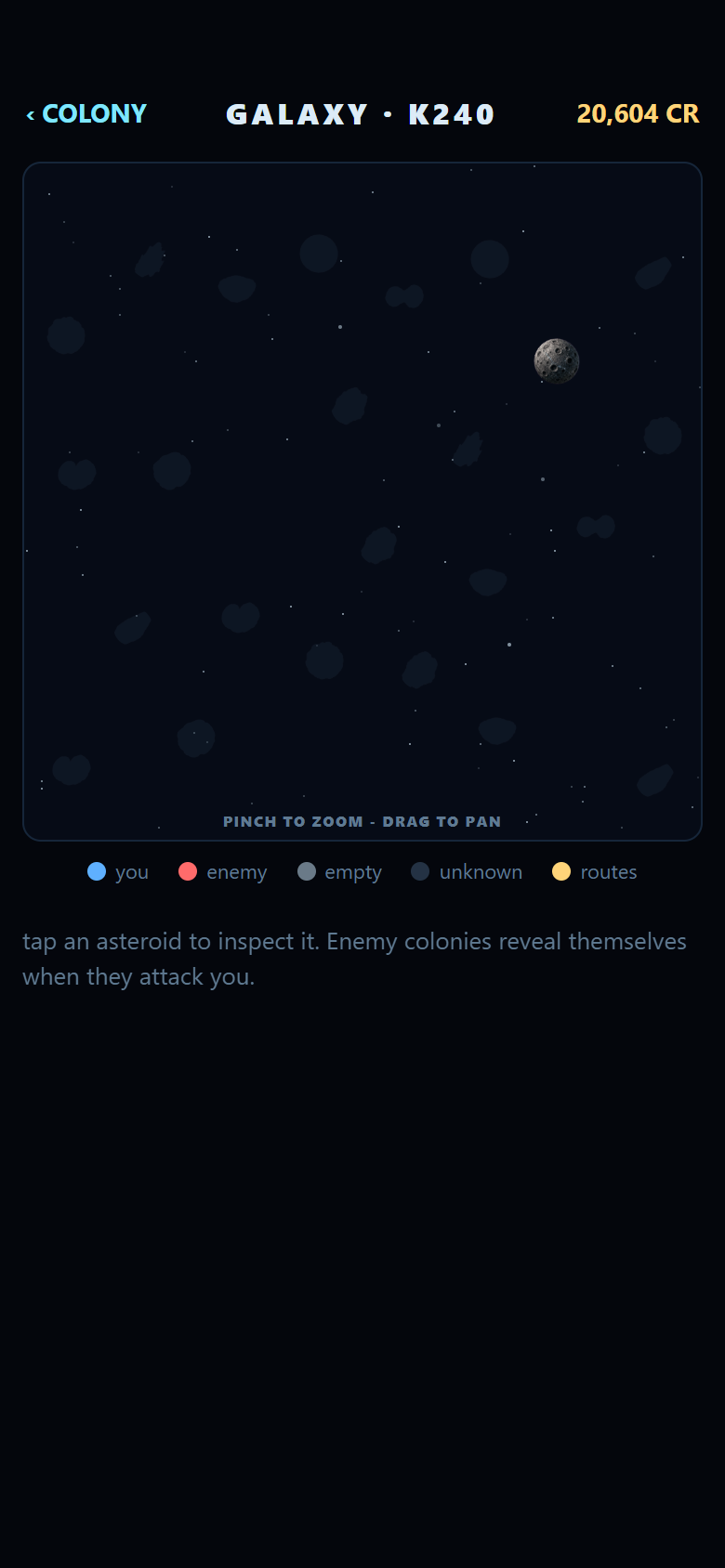
We’re missing some minor animations from the original on this screen, but I tried to compensate for that with the info panel when an asteroid is selected.
Then came asteroid drift. In the original, every asteroid carries a direction and a speed, and _MoveAsteroids steps each one forward every day in 8.8 fixed-point. Drift off the edge of the map and the asteroid is destroyed; a new one arrives at the rim to replace it, chosen by the same random-start, walk-down slot selection as the original’s _NewAst_12C52 rather than just grabbing the first free slot, which is a subtler rule than it looks and cost a debugging session to get right.
Original: 8.8 fixed-point integration (_MoveAsteroids)
MOVE.W  arrAstSpd(PC,D0.W),D1  ; speed -> step size
MOVE.B  ast_SubX(A1),D2        ; sub-position accumulator
ADD.B   D1,D2                  ; add this frame's fractional step
MOVE.B  D2,ast_SubX(A1)
BCC.S   noCarryX
ADDQ.B  #1,ast_X(A1)           ; carry into whole units
noCarryX:
Port: TypeScript
function integrate(asteroid: Asteroid): boolean {
  const [dx, dy] = ASTEROID_DIRECTIONS[asteroid.direction];
  asteroid.subX = (asteroid.subX ?? 0) + dx;
  if (asteroid.subX >= FIXED_ONE) { asteroid.subX -= FIXED_ONE; asteroid.x += 1; }
  else if (asteroid.subX < 0)     { asteroid.subX += FIXED_ONE; asteroid.x -= 1; }
  // ...same for Y, then bounds check against the map edge
  return isOffMap(asteroid.x, asteroid.y);
}
Proximity warnings, player-steerable engines on the twenty-third asteroid slot, off-map destruction, rim arrival – all of it now runs inside the daily tick, and 42 automated checks (up from the low thirties last time this blog covered the project) hold the geometry, the drift math and the placement rules to the source.
Drift also exposed a gap in how fleets chased their targets: they were counting down a flat day total to an asteroid’s original position, which stops being true the moment that asteroid moves. Fleets and missiles now chase a live target position using a distance-covered odometer – recomputed against wherever the destination actually is each day, rather than tracking a continuous fractional position, which is a smaller and better-justified divergence from the source than it sounds.
Amiga aside: the Telescope, and a cheat flag masquerading as a feature
The Telescope building projects a moving asteroid’s future course, and the routine that does it — _1378A — ray-marches the asteroid’s direction vector forward, one ASR.W #3 step at a time, until it leaves the map, then reports the exit point.
The routine is gated behind a flag called flgTelescope. Every reasonable assumption says that is a research unlock tied to owning the building. It is not — it is _CheatTelesc, one of the same twelve debug cheats as LOADSADOSH and WIDGET. The only way to find that out was to read the routine, not the manual.
This port maps it onto God Mode, the same cheat-parity mechanism used elsewhere, and ports the ray-march byte-exact including an authentic quirk: the branch order does not re-check an axis it already updated when the other axis triggers the exit clamp, so a coordinate can overshoot the map boundary by a few units on the way out. We kept that behaviour and only clamp the final returned point, rather than “fixing” the algorithm into something the original never did.
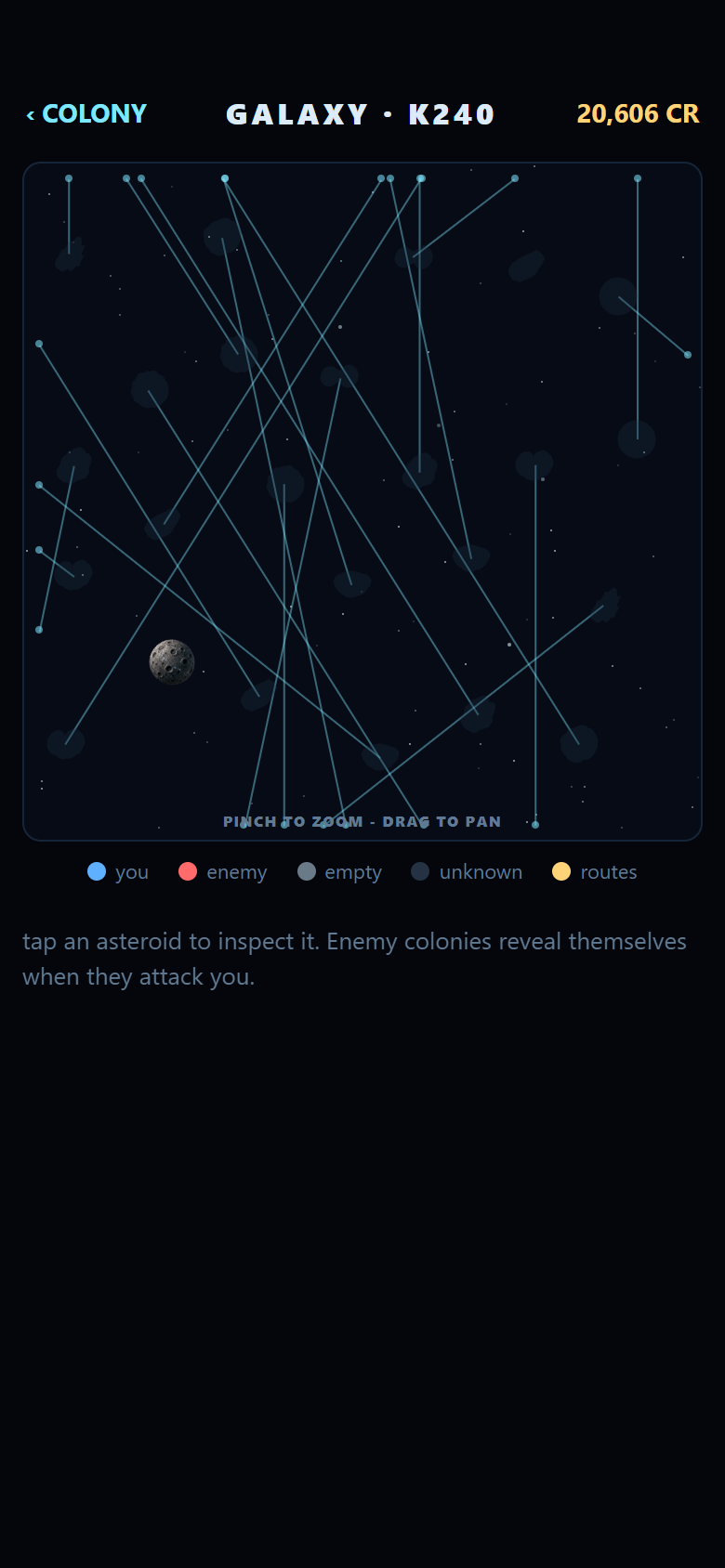
One knock-on fix: colonies used to freeze an asteroid’s speed to zero the moment you landed on it, on the theory that a colonised target should stop moving so its distance stays predictable. That restriction existed to compensate for not having course prediction. Now that the Telescope actually predicts a course, the compensating freeze was removed – a colonised asteroid can keep drifting, and you can still tell where it is going. A good change? Who knows. Perhaps it’ll drive someone absolutely crazy. We’ll see.
“That’s no moon.”
When I originally implemented the blueprints system, I assumed 34 was the correct number, because the real numbers looked like they were populated at runtime rather than stored anywhere in the executable. That assumption was wrong, and finding out why involved staring at the wrong offset for longer than I would like to admit.
The real table is ptr1B27E: ten-byte records, one per blueprint, addressed from slot 1 — data1B27C + slot*10 — with slot 0 sitting there as two longwords of dead scratch space, never a real blueprint. The first extraction attempt assumed an eight-byte header skip and zero-based slots, and it produced numbers that were wrong in the worst possible way: plausible-looking. I ended up getting Claude to go over everything again for me, and even he (he?) missed it on the first go round.
Original: blueprint cost record (ptr1B27E, 10 bytes, 1-based)
; data1B27C + slot*10, slot 0 is dead space (DS.L 2)
; +0  word   name/description string ID
; +2  ...
; +6  long   cost in credits
ptr1B27E:
    DS.L    2        ; slot 0: unused
    DC.W    strMine2  ; slot 1: "2ND GENERATION MINES"
    DC.L    55000     ; 55,000 credits
Port: extractor with a permanent regression guard
const slotZeroStringId = u16(raw, 0 * RECORD_BYTES);
if (slotZeroStringId !== 0) {
  throw new Error(
    `slot 0 (dead space) resolved string ID 0x${slotZeroStringId.toString(16)}, ` +
    `expected 0 -- record base offset has likely regressed to 0-based indexing`
  );
}
With the addressing fixed, all thirty-four real costs came out: from 15,000 credits at the cheap end up to 500,000 for the late-game blueprints, replacing the old 12,000-65,000 estimate range entirely.
“Make it so.”
The last piece was making the project easy to build and easy to hand to somebody else – or just to myself, on a different machine.
I won’t go into too much detail about the CI side of things, but I do have everything building in Github Actions nicely.
One thing I did do was diverge from just building an Android port. I’m pretty happy with this and would like to show it to people, and my APK’s are unsigned, and I can’t really share the source code (although I do plan on reaching out to the original publishers to see if I can get their approval to share it), so I can’t really expect people to install an unsigned, untrusted APK from a random guy on the internet.
Thankfully, I’d made the stupid decision to build it all in React Native, so this made a web port really, really easy. I did get Claude to help a bit with this, as it’s not something I’ve done before, and he (again, he?) also helped with getting it wrapped in a docker container for… reasons.
“I’ll be back.”
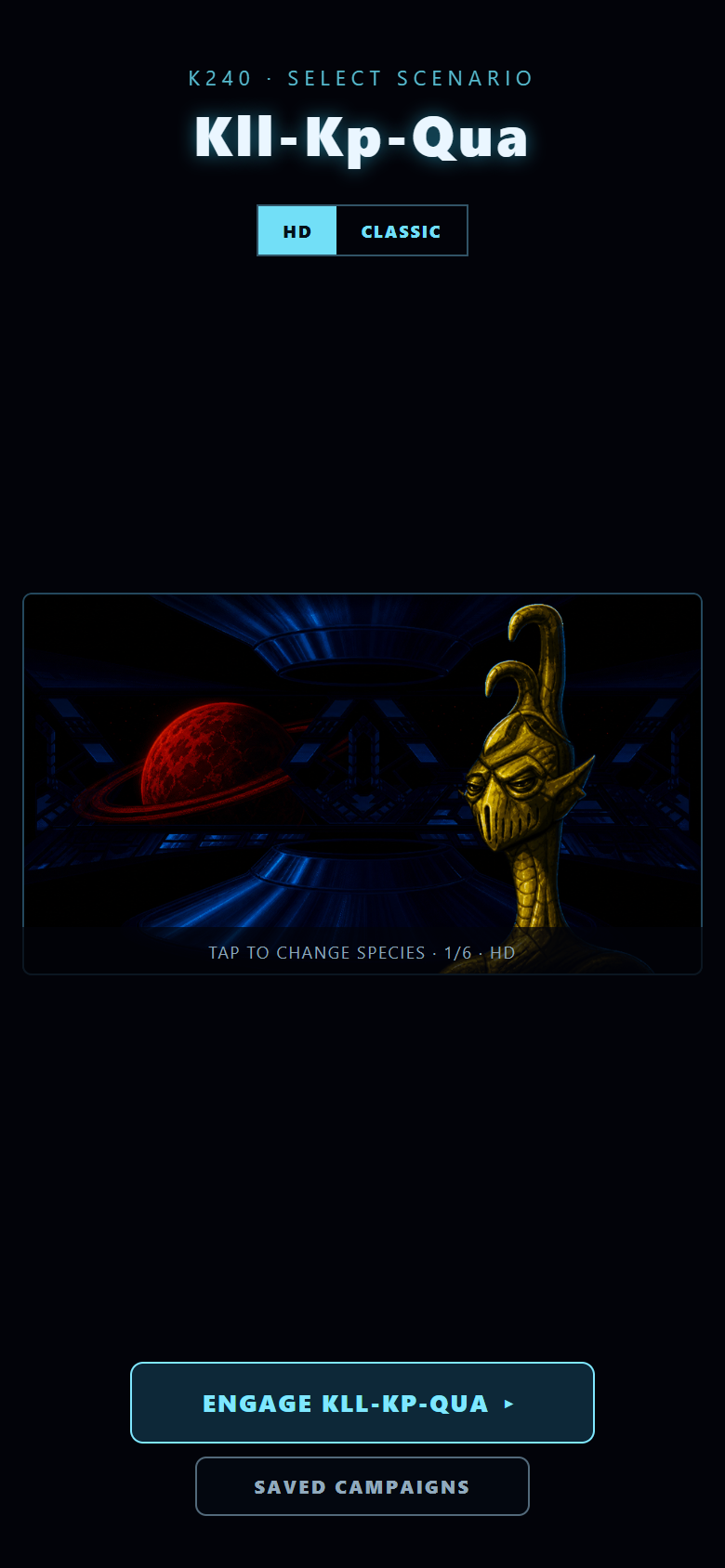
Where it actually stands now: it is a playable Expo prototype with a real-time campaign loop, and the Android bundle exports at 1,728 modules and 1,050 bundled assets (13.4MB); the web export comes in at 12.3MB. You pick an opponent, grow a colony on a galaxy map where asteroids genuinely drift and get replaced at the rim, research blueprints, build and defend a colony, scout, predict a target’s course with the Telescope, launch missiles and fleets that chase their targets properly, fight persistent multi-day battles, and win or lose. Spoiler: Mostly, you’ll lose. Saves work, with a versioned format now on its fifth revision and migrations for every prior version, not just the one immediately before it.
There are a few areas I’d like to improve. Mainly the music and ambience. Although I ported the sound effects and some background music, there isn’t really any actual music or ambient sounds, so it feels a bit empty. I’d like to revisit that when I have a chance. I’m no musician, but I’m sure I could cobble something suitable together.
“I know kung fu.”
Three things, and the first one surprised me.
Reverse-engineering documentation is worth more than source code you cannot trust. The tetracorp disassembly did not just tell me what the game did, it told me what the game did wrong – the mislabelled targeting routine, the toggling cheat, the Selenium quantity bug where the minimum exceeds the maximum. A port built from a specification would have been cleaner and less correct.
Second: check the pacing model before you write anything. The single highest-leverage hour of this project was reading the game loop to find out that timers were counted in screen refreshes rather than CPU cycles.
Third, and this is the one I will take into other projects: separate the simulation from the presentation ruthlessly, and you get a test harness for free. Being able to run four centuries of game time in a terminal, deterministically, is why I was able to actually validate that everything worked as expected properly, without spending hours playtesting the game. The pretty pixels are a layer on top, and they are allowed to change. The rules are not.
The Amiga did this in 469,764 bytes, on a 7MHz processor, with a chip whose only job was moving rectangles about. Thirty-two years later it takes 1,353 JavaScript modules to approximate it. I am not sure that reflects well on us.
Still. It runs on my phone. YARDS NEED MORE DRAGONIUM.
If you’d like to check it out and play it yourself, I’ve made the web build available here: https://labs.antonydoyle.com/k240
Enjoy, and thanks for reading all that waffle.
1 Comments
Leave a Reply
The Amiga nostalgia really comes through, especially the memory of repeatedly rebuilding an asteroid colony only to have an alien fleet turn the whole afternoon into chaos. I also appreciated the honesty about using Claude for such a long piece—it adds an interesting layer to the discussion.