
I am a leaf on the wind. Watch how I… Claude?

A few years ago, when ChatGPT was released on the world, myself and a few colleagues tested it with some simple code problems and questions. While it was technically impressive, it had a knack of producing what one guy called “really convincing bullshit”. Since then, I’ve been very cautious about how I use AI in my work as a developer.
Until very recently, that is. We’ve been using it more and more at work and, subsequently, I’ve been playing with it more outside of work for code projects. Usually, I just used it to help with bits and pieces here and there, but I really wanted to have a go at “vibe coding” something end to end. But what?
Well, a little while ago I got my hands on a copy of Firefly: The Game – specifically the 10th Anniversary Collector’s Edition, which is an insanely massive board game set in the Firefly universe. And that’s the problem. It’s too massive. With the core game being quite big anyway, and then nine expansions, plus extra content for the Anniversary edition, there’s a LOT to take in, especially for new players. I mean, it takes about an hour to get everything set up…
The game is a lot of fun, though, but it’s also not exactly simple. There are four core actions, then each expansion adds their own rules layered on top, a decision tree for your turn, a setup checklist that changes depending on which expansions you’re playing with, and enough edge cases to keep you reaching for the rulebook every ten minutes. Which, when you’re trying to actually play the game, gets old fast.
This seemed like the perfect chance to unleash Claude on something non-critical, but also useful. So, I built an app. Well. Claude did.
“Well, my days of not taking you seriously are coming to a middle”
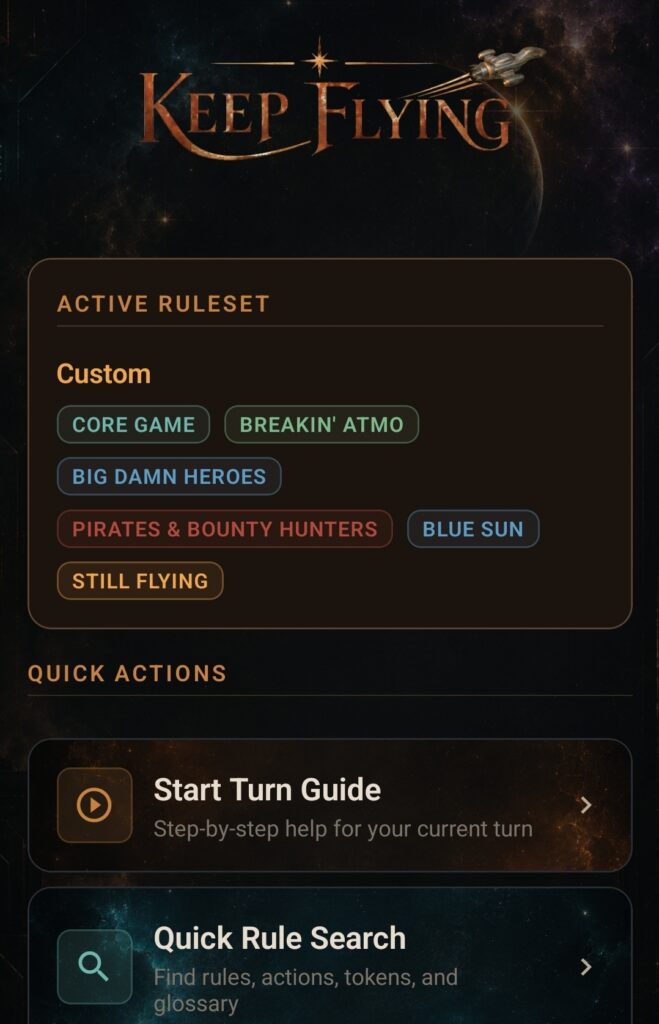
Look, I was presently surprised at how well this went. There were obviously issues. We’ll get to that, but let’s start with a quick tour of what “we” built.
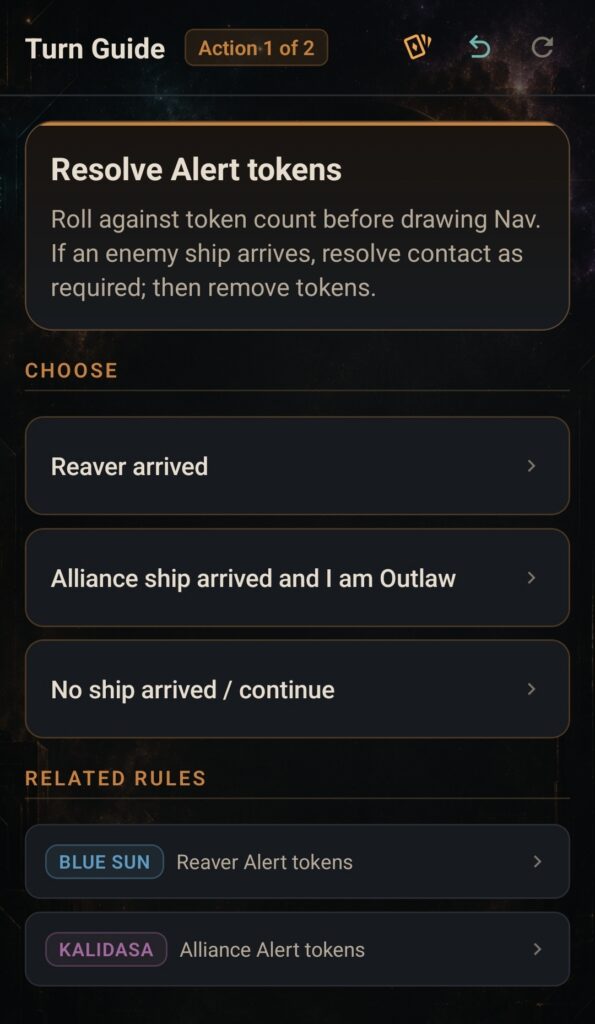
Turn Guide
A decision-tree driven, step-by-step guide through your turn. Fly, Buy, Deal, or Work – it walks you through each action, tracks which actions you’ve already taken this turn (you can’t repeat them), and links to relevant rules as you go. There’s an undo button, a reset button, and a persistent “Resume Turn” card on the home screen if you navigate away mid-turn.
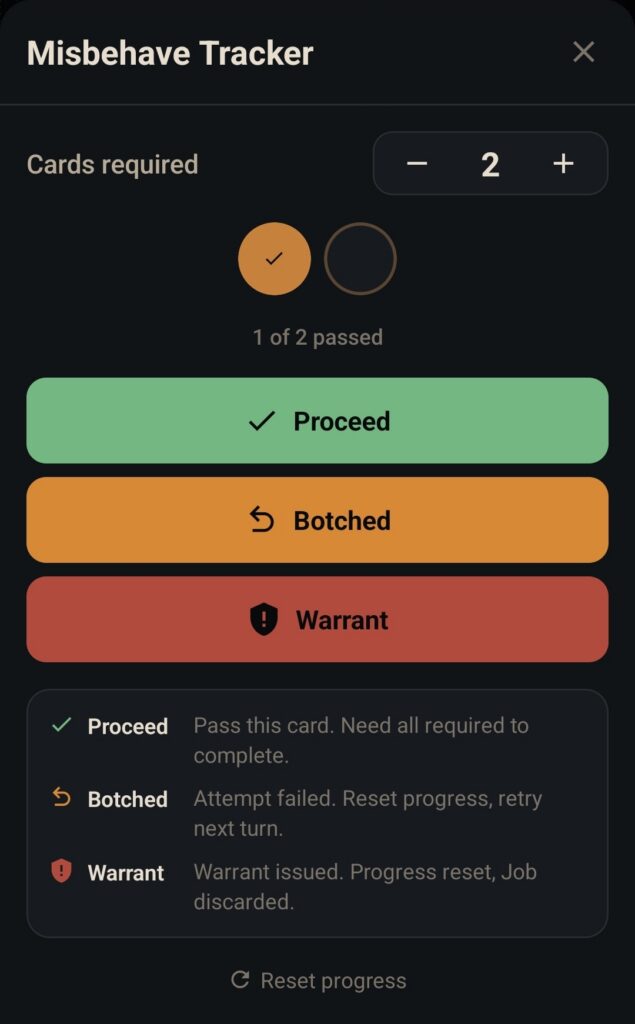
Misbehave Tracker
If you’ve played Firefly, you’ll know the Misbehave sequence for illegal jobs is one of the more fiddly bits. You draw cards one at a time and need to Proceed a certain number of times to complete the job – but it’s easy to lose count, especially with the Crime & Punishment expansion doubling the deck. The tracker lets you set how many cards you need to pass, then gives you three big buttons: Proceed, Botched, and Warrant. It tracks your progress with pips, shows a success banner when you’re done, and resets automatically when you start a new turn.
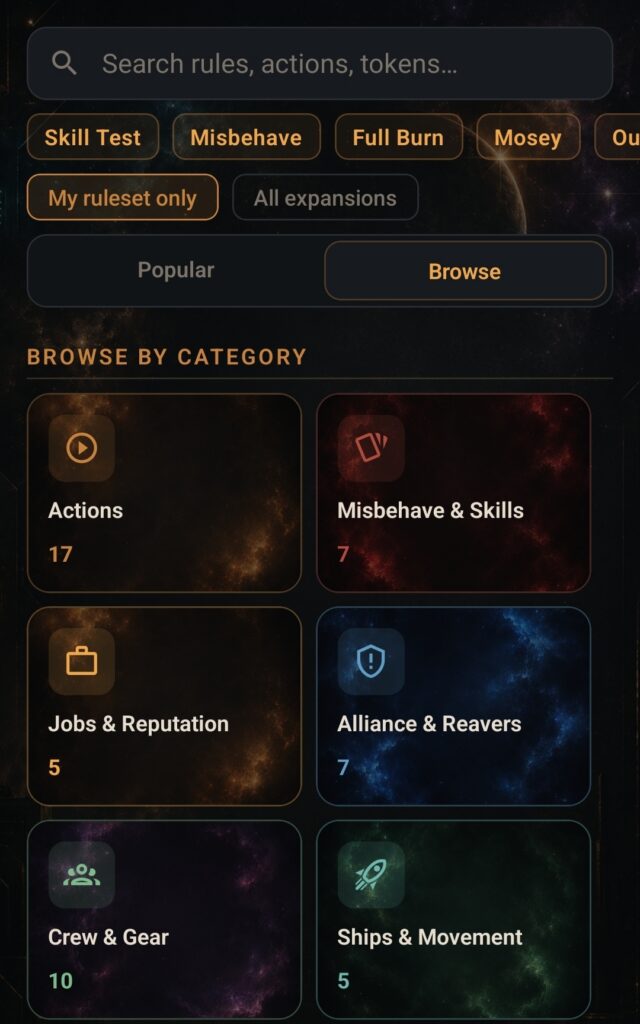
Rule Search & Quick Reference
124 rules and 40 glossary terms, searchable with fuzzy matching. Organised by category, filterable by your active expansions. There are shortcut chips for the things you look up constantly – Skill Test, Full Burn, Misbehave, Alliance Contact, Reaver Contact, Pay Crew – so you don’t have to type anything mid-game.
There’s also a Quick Reference tab with collapsible cheat sheets for the six mechanics that come up every single session. Everything in one place, no scrolling through a PDF, or frantically searching through the rule book.
Setup Assistant & Contact Reference
A checklist of 41 setup steps from the rulebook, filtered to whichever expansions you’re actually playing. Tap each step as you complete it. There’s a progress bar. It resets for the next game. Simple.
The Contact Reference covers all eight contacts in the game – filtered to your active ruleset – with their locations, job types, and Solid reputation bonuses. Because “where’s Fanty & Mingo again?” is a question that comes up more often than it should.
“We have done the impossible, and that makes us mighty”
So, the app itself is built using React Native with Expo (SDK 53), TypeScript, Expo Router for navigation, Zustand for state management with AsyncStorage persistence, and Fuse.js for the fuzzy search. All the data – rules, glossary, setup steps, the turn decision tree – is bundled JSON, authored by hand.
As mentioned above, I built it with Claude Code but, not one to make anything easy, I did it using Claude’s remote control feature and dispatch, meaning I left Claude doing his thing (I’m assume “he”?), while I sent him instructions from my phone, sat downstairs on the couch.
The workflow was pretty cool, to be honest: explain what I wanted, it builds it, I look at it on my phone, go “that’s not quite right” or “can it also do X?”, and we iterate. It handled all the boilerplate, component architecture, state management wiring – everything. Then, it would spin up Expo and I’d connect via the Expo Go app and then I had a dev build running on my phone. The future is here.
It did have moments where I wanted to punch it in its digital face, if I’m being fully honest. Sometimes it seemed to go off on tangents entirely of it’s own imagining. Sometimes it just refused to do what it was told. And sometimes, it just screwed everything up massively. But, eventually, we developed a mutual understanding. Claude will try his little best, and I won’t spam four-letter words at him for an hour. But, back to the app…
The thing I found most interesting was the data modelling. The turn decision tree in particular – a JSON structure representing every possible path through a Firefly turn, with node IDs, choices, conditions, and linked rule references – is the kind of thing I’d have spent days designing badly on my own. And inevitably have gotten wrong. Working through it iteratively, being able to say “actually this node needs to know about what actions have already been used this turn” and having it just update the model and the rendering logic together, was genuinely impressive.
“I swear by my pretty floral bonnet, I will end you”
Getting it actually, properly built was less smooth. I used EAS (Expo Application Services) to build the APK, and had a few false starts – mainly a Gradle 8.x compatibility issue with the Expo SDK version I was on.
No matter how many times I told Claude to sort his shit out and fix it, it kept going in circles, denying there was an issue (despite the clear “build failed” errors in the logs), and suggesting, frankly, stupid fixes. But, eventually it woke up, realised it was being a Class A moron, and got back to work. Not entirely sure if it was my prompting or Claude just being especially dumb, but we got there in the end.
A handful of failed cloud builds, code tweaks and bug fixes later, and eventually upgrading to Expo SDK 53 sorted it out and the build went through cleanly.
“That’s what a spaceships for. To let you see it all”
So, is it finished? Well, yeah. It does everything I originally wanted it to do. But I keep thinking of things to add – which is usually a sign it’s working well enough to actually be useful. But, ultimately, I think it’s ready to go. I think it’ll be genuinely useful for new players, and even long term players alike, so I want to get it out there for people to use.
And that’s the next problem. I’ve no idea how to publish it, so that’s my next quest. But, for now I’m just happy that it works, Claude didn’t delete anything critical, and I’m also quite happy that, after all this, I’m confident AI isn’t quite ready to come for my job – but who knows what the next generation of LLM’s will bring. Perhaps early retirement…